What a Shirt Template Is and What Each Type Is For
A shirt template is a flat diagram or layered image file that maps the printable areas of a garment. Designers use them as guides so artwork lands in the right position on the finished product. There are two main categories people search for.
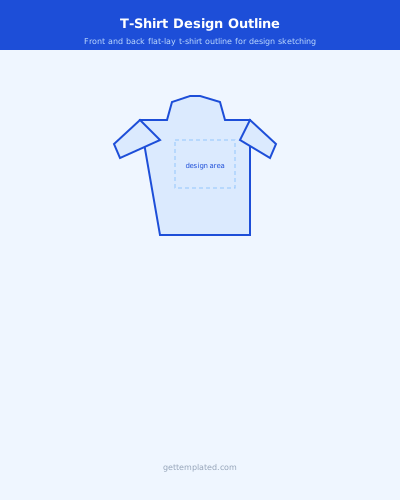
A t-shirt design template or blank t-shirt template is used for physical garments, whether you are designing for print-on-demand services, screen printing, or creating a mockup to show a client. A Roblox shirt template is a pixel-grid PNG used to create clothing items for avatars inside Roblox, the gaming platform. The two templates serve completely different purposes and have different technical requirements, but both follow the same core principle: work within the defined print area so your design does not get cut off or distorted.
- Blank t-shirt template: physical garment design mockups
- T-shirt design template: artwork placement for print-on-demand or screen printing
- Roblox shirt template: custom avatar clothing for Roblox games
- Black t-shirt template: dark-garment version of a standard design mockup
- T-shirt template free: ready-to-use outline for designing your own shirt
Roblox Shirt Template: Exact Specs and How to Use It
The Roblox shirt template has a fixed pixel grid. Getting the dimensions wrong means your design will appear distorted, misaligned, or show the default gray shirt texture in some areas.
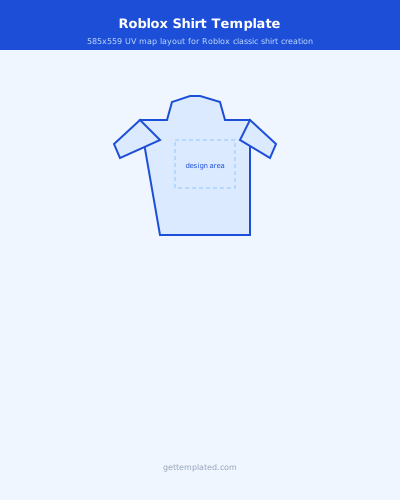
The official Roblox classic shirt template size is 585 x 559 pixels. The image is divided into zones for the front torso, back torso, right arm, left arm, and small strips for the collar and sleeve ends. You draw or paint only inside each zone. The gray areas between zones are hidden in the game and should stay transparent or be left as-is. Upload your completed PNG at game.roblox.com under Create, then select Classic Shirts. A Roblox Premium subscription is required to upload clothing to the catalog.
- Image size: 585px x 559px total
- Front torso zone: 194px wide, 272px tall (center of the template)
- Back torso zone: 194px wide, 272px tall (to the right of front)
- Each arm zone: approximately 62px wide, 92px tall
- File format: PNG with transparent background only
- Upload location: game.roblox.com > Create > Classic Shirts
How to Design a T-Shirt Using a Blank T-Shirt Template
Designing a physical t-shirt follows a straightforward process once you know the placement rules and file requirements of your printer or platform.
- Download or open a blank t-shirt template that matches your target garment (unisex tee, fitted tee, long sleeve)
- Set up your canvas at 300 DPI minimum; use 4500 x 5400px for most print-on-demand platforms
- Place your artwork layer above the template layer and position it within the designated print area
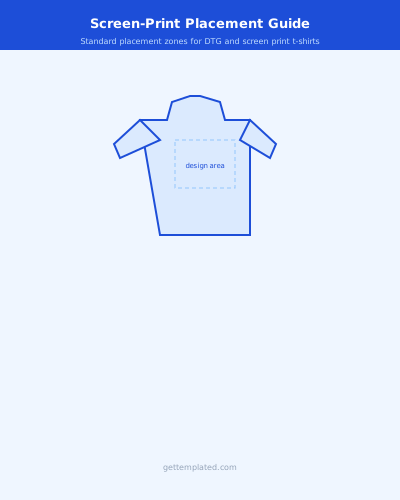
- For front chest designs, center horizontally and start the art 3-4 inches below the neckline
- Check that text is at least 0.5 inches from any edge of the print area to avoid cutoff
- Export the design file as PNG with a transparent background (remove the shirt outline layer before exporting)
- Upload to your platform (Printful, Printify, Merch by Amazon) and use their preview tool to confirm placement on the actual garment
T-Shirt Design Template Variations by Use Case
Different design goals require different template setups. Here is how the common variations work.
A black t-shirt template or black shirt template uses a dark background to show how light-colored inks will appear on dark fabric. Print-on-demand platforms often have separate dark-garment templates because white ink behaves differently from color ink on dark shirts. A blank shirt template with no guidelines is useful when presenting a design concept to a client, as it looks like the final product. A t-shirt design template free version is usually a PNG outline you import into Photoshop, Canva, or Figma as a guide layer. A Roblox transparent shirt template refers to a PNG where all background areas outside the clothing zones are transparent, which is required for correct in-game rendering.
- Black t-shirt template: dark background for light-ink design preview
- Blank white t-shirt template: neutral for client mockups
- Front-only template: simplified layout for chest-print designs
- Full wraparound template: front, back, and sleeves in one file
- Roblox transparent shirt template: PNG with transparent outer areas
Common Mistakes to Avoid
Most shirt design problems come down to resolution, bleed, and file format. Fixing these before you submit saves expensive reprints and upload rejections.
- Resolution: always design at 300 DPI; 72 DPI looks crisp on screen but blurry when printed
- Color mode: print shops want CMYK; screen-based platforms (Roblox, digital mockups) use RGB
- Bleed zone: stay at least 0.25 inches inside the print boundary to prevent design elements from being cut off
- Font embedding: convert all text to outlines or paths before submitting a vector file so fonts do not shift
- Roblox shirt template: always save as PNG, never JPEG, as JPEG compression distorts edges and removes transparency
- Free t-shirt design template downloads: verify the file is layered (PSD or Figma) so you can separate the shirt outline from your artwork
The template