What Is a Book Cover Template and Why Dimensions Matter
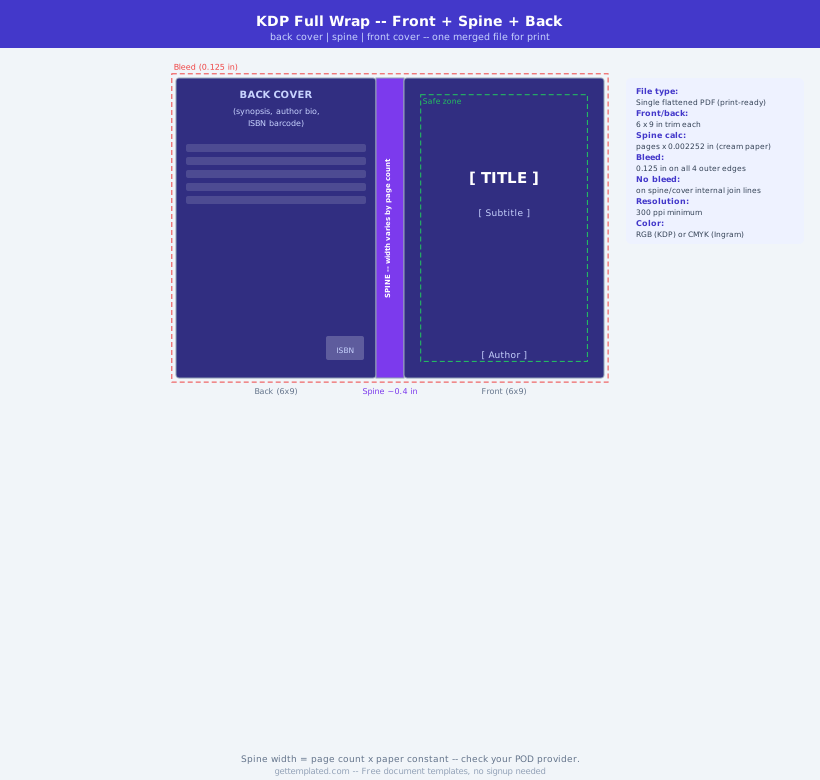
A book cover template is a pre-sized canvas document with guidelines showing the front cover, spine, and back cover areas along with bleed and safety zones. The template exists because book covers are not simply an image, they are a precisely measured document where millimeters matter.
Print-on-demand services such as Amazon KDP, IngramSpark, and Lulu calculate the spine width based on page count and paper type. Submit a cover with the wrong spine width and the cover will be rejected or the title will print crooked across the spine. A book cover template locks in the correct dimensions before you start designing, preventing costly reprints and upload rejections.
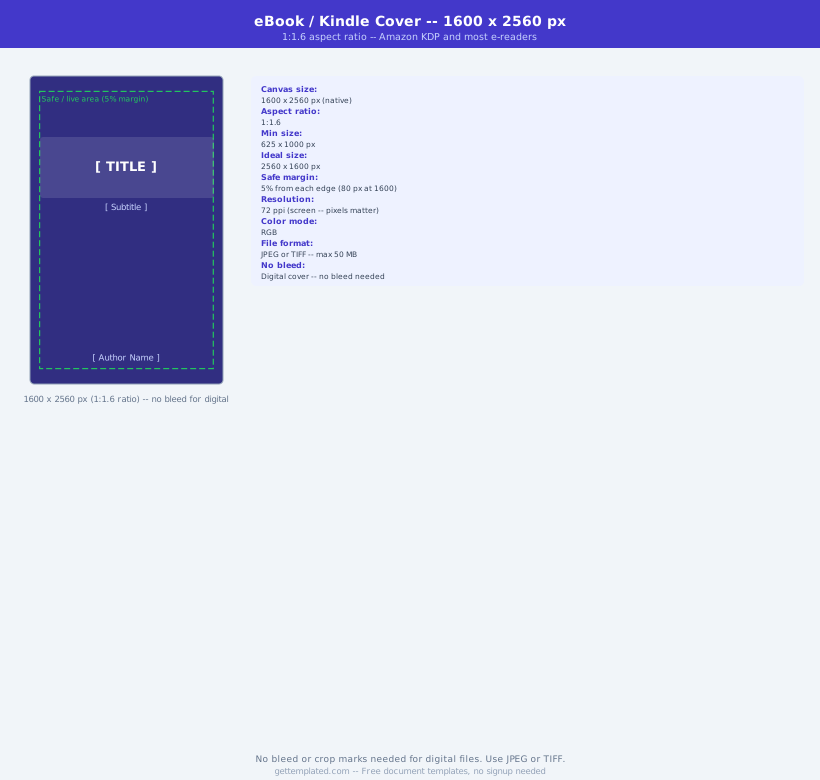
For ebooks, a book cover template is simpler, just a front cover at the correct pixel dimensions for the platform, but getting the ratio right matters for how the thumbnail displays in store listings.
- Self-published authors using Amazon KDP, IngramSpark, or Lulu
- Graphic designers creating covers for author clients
- Small publishers standardizing their cover design workflow
- Authors redesigning existing book covers for a new edition
- Anyone creating a workbook, planner, or course guide with a physical cover
Book Cover Dimensions and Specs by Format
Different publishing formats require different canvas sizes. Using the wrong dimensions results in a distorted cover or a file that the platform rejects.
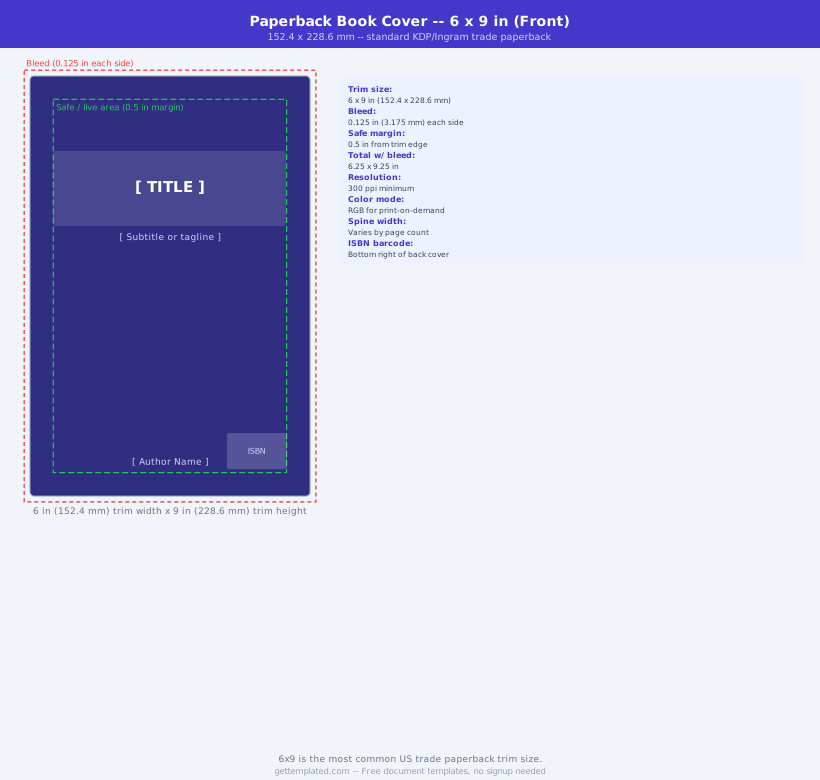
- Standard paperback (6" x 9"): most common for fiction and nonfiction; spine width depends on page count
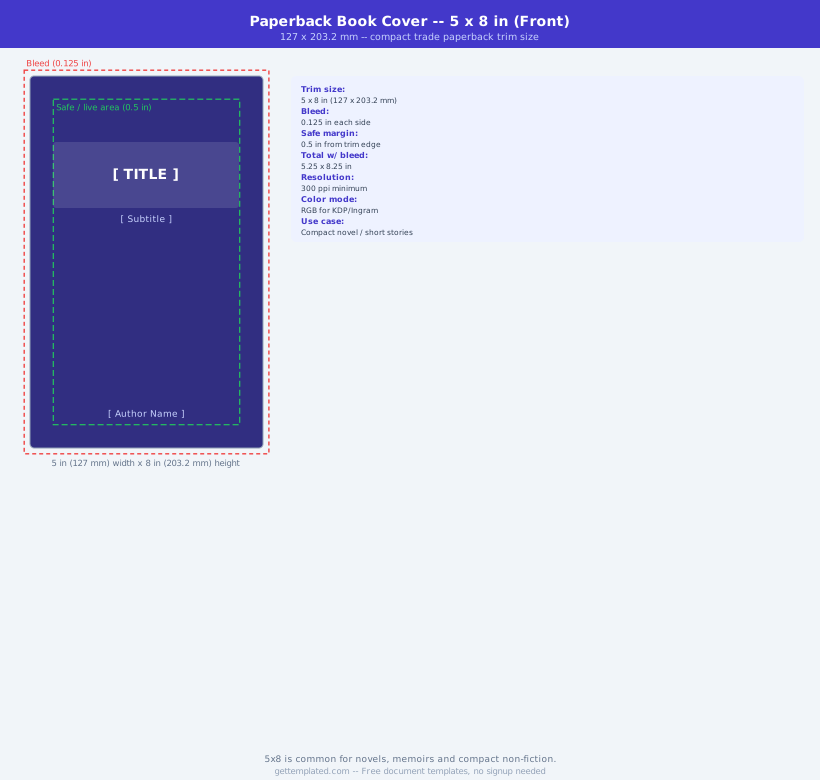
- Digest size (5.5" x 8.5"): common for trade paperbacks and workbooks
- Mass market paperback (4.25" x 6.75"): compact fiction format
- Hardcover: typically 6" x 9" or 5.5" x 8.5" with a different spine calculation than paperback
- Ebook (Kindle/KDP): 2560 x 1600px recommended, 1.6:1 ratio, JPEG
- Audiobook cover: 3000 x 3000px square, ACX standard for Audible
How to Create a Book Cover Using a Template
Designing a book cover follows a structured sequence. Starting with the correct canvas dimensions saves you from redoing work after the fact.
- Determine your trim size (the finished book dimensions): 6x9 is standard for most genres
- Calculate your spine width using your printer's formula: page count x paper coefficient (KDP uses 0.0025" for white standard paper)
- Set up your canvas: total width = front + spine + back + 0.25" bleed; total height = trim height + 0.25" bleed
- Add guide lines at the bleed edges, trim lines, and spine fold lines, all critical design elements must stay inside the trim-safe zone
- Design the front cover first: title, author name, and central image with the highest visual contrast
- Design the back cover: book description blurb (150-200 words), barcode zone bottom right, optional author photo
- Design the spine: title (rotated 90 degrees, reading top to bottom) and author name, spine text must fit within the spine width minus 0.125" safety margin on each side
- Export as a single flattened PDF (print) or separate JPEG (ebook) at the platform's required resolution
Book Cover Design Principles That Drive Sales
A cover that looks professional in person can still fail as a thumbnail. Online book sales depend heavily on how the cover reads at small sizes, since most browsers see your book first as a 150-200 pixel thumbnail.
Genre conventions matter more than originality for commercial fiction. Romance readers, thriller readers, and fantasy readers have strong visual expectations for their genre. A romance cover that looks like a thriller will confuse buyers. Non-fiction and self-help covers have more flexibility, but clear title legibility at small sizes is non-negotiable. A typography-focused cover with bold, high-contrast text often outperforms illustrated covers in non-fiction categories because the title communicates the subject immediately.
- Title must be readable as a 150px thumbnail, test at small size before finalizing
- Genre-appropriate imagery: match the visual language readers expect for your category
- Contrast: light text needs a dark background and vice versa, avoid mid-tone combinations
- Limit typefaces to two: one for the title, one for the author name and subtitle
- Front cover focal point: one dominant image or visual element, not multiple competing elements
- Author name size: traditionally smaller than the title unless you have significant name recognition
- Color psychology: cover colors often signal genre (dark for thriller, bright for cozy mystery, pastels for romance)
Common Book Cover Mistakes and How to Fix Them
Most book cover problems fall into a small set of categories. Knowing them in advance prevents the most common rejections and redesign cycles.
- Wrong spine width: recalculate using your printer's exact formula after you have the final page count
- Missing bleed: all background colors and images must extend 0.125" past the trim line on all outer edges
- Text in the bleed zone: keep all text at least 0.25" inside the trim line; text in the bleed gets cut off
- Low resolution: print covers need 300 DPI at full size; ebook covers need minimum 1000px on the shortest side
- Wrong color mode: print files must be CMYK; ebook covers use RGB, submitting print colors for an ebook causes unexpected color shifts
- Barcode placement: leave the bottom right corner of the back cover clear for the ISBN barcode; KDP inserts it automatically, so do not design over that area
The template