What Is a Menu Template and Who Needs One
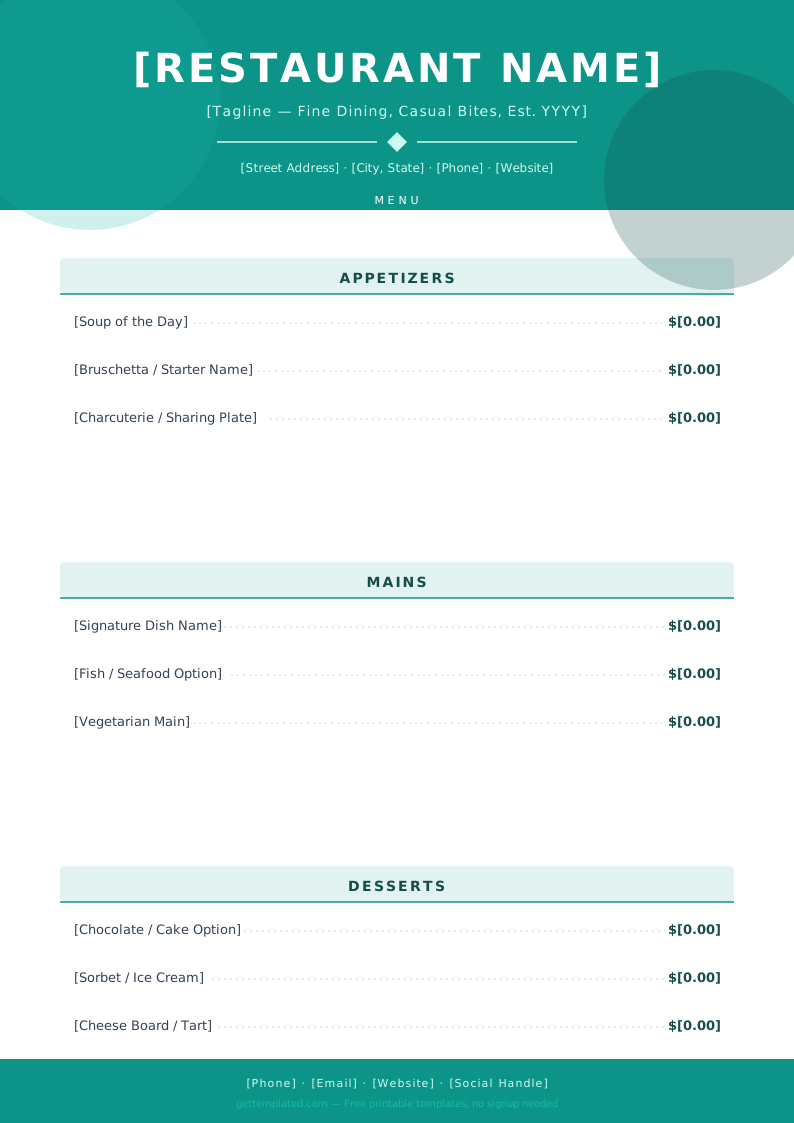
A menu template is a formatted document with predefined sections for dishes, descriptions, prices, and categories. You fill in your items and formatting is already handled. The result is a professional-looking menu without a graphic design background.
Restaurant owners use menu templates when opening a new location, updating seasonal offerings, or quickly creating a specials insert. Caterers use them for event proposals and on-site display. Home cooks and families use weekly menu templates to plan dinners in advance, cut down on food waste, and simplify grocery shopping.
Event planners use menu templates for weddings, Thanksgiving dinners, holiday parties, and corporate events where guests need to see what is being served. A printed menu also serves as a keepsake for milestone celebrations like wedding receptions.
- Restaurant owners creating or updating a food menu template for table display
- Caterers building menus for weddings, corporate events, and parties
- Home cooks making a weekly dinner menu template to plan family meals
- Hosts printing menus for Thanksgiving, holiday dinners, or dinner parties
- Cafes and coffee shops building a drink menu template for the counter
- Bar owners creating a bar menu template or cocktail list
- Wedding planners printing table menus or reception menus for guests
What to Include in a Menu Template
The specific sections depend on your type of menu, but most good menu templates share a common set of elements.
- Restaurant or event name: Your header is the first thing guests read. Keep it large and legible.
- Sections or categories: Group items logically (Starters, Mains, Sides, Desserts, Drinks). Breakfast menus use different categories than dinner menus.
- Dish or item names: Clear and specific. "Grilled Salmon" is better than "Salmon Entree."
- Brief descriptions: One to two lines per item covering key ingredients or preparation style. Descriptions help guests with allergies and help sell the dish.
- Prices: Right-aligned or dot-leader format (Dish Name......$12) keeps menus readable.
- Dietary icons or labels: Mark gluten-free, vegan, vegetarian, spicy, or nut-containing items with simple codes like [GF], [V], or icons.
- Date or season (optional): Useful for seasonal menus so customers know the menu may change.
How to Use This Free Menu Template
This menu template is available in Google Docs for easy online editing and as a printable PDF. Here is how to go from template to finished menu.
- Open the template in Google Docs or download the PDF version.
- Replace the restaurant or event name at the top with your own.
- Delete any sections that do not apply to your menu (for example, remove the Desserts section for a lunch-only spot).
- Fill in each dish name, a one-line description, and the price.
- Add or remove item rows as needed by duplicating a line or deleting one.
- Add dietary labels ([GF], [V], [VE]) next to any item that needs one.
- Adjust fonts and spacing to fit everything onto one page (or two for larger menus).
- Export to PDF and send to a printer, or print at home on cardstock or menu paper.
Types of Menu Templates
The right template depends on what kind of menu you are creating. Here are the most common types and what makes each one distinct.
Restaurant menu template: A full-service dinner menu typically has four to six sections (starters, soups/salads, mains, sides, desserts, drinks). The layout is often two columns or a single wide column on a letter-size or legal-size page that folds to form a traditional tabletop menu.
Weekly menu template: Used by families and meal preppers rather than restaurants. A simple table with seven rows (one per day) and columns for Breakfast, Lunch, and Dinner works well. Print it, hang it on the fridge, and shop from it. Google Docs or Google Sheets are the easiest tools for a free weekly menu template.
Drink menu template: A dedicated bar or beverage menu focuses on cocktails, wine, beer, or non-alcoholic drinks. Grouped by type (craft cocktails, wine by the glass, beer on tap). Shorter descriptions and prominent pricing matter most here.
Wedding menu template: Typically a single-page card placed at each table setting. It lists the evening's courses (appetizer, salad, entree options, dessert) and may include the venue or couple's name at the top for a personalized keepsake.
Thanksgiving menu template: A printed or digital list of all dishes being served at a holiday meal. Hosts use these to coordinate potluck contributions and let guests know what to expect. Simple formatting, a header and a bulleted or numbered list, is all you need.
Menu Template Design Tips
A well-designed menu is easy to read, communicates quality, and guides guests toward the items you most want to sell. These tips apply whether you are using a blank menu template or starting from a pre-designed layout.
- Use a maximum of two fonts: one for headers or section titles and one for body text. Mixing three or more fonts looks cluttered on a menu.
- Left-align dish names and use a dot leader or right-align prices for clean visual scanning.
- Keep descriptions under two lines, long descriptions slow down ordering and crowd the layout.
- Highlight your signature or most profitable items with a box border, a bold font, or a small badge like "Chef's Pick."
- Leave white space between sections. A dense, crowded menu is harder to read under dim restaurant lighting.
- If printing at home, use heavy cardstock (at least 60 lb) and print in landscape orientation for a folded tabletop card or portrait for a single flat menu.
- Update prices by editing the document rather than crossing out and handwriting, it reads as unprofessional.
The template