What Is a Business Model Canvas Template?
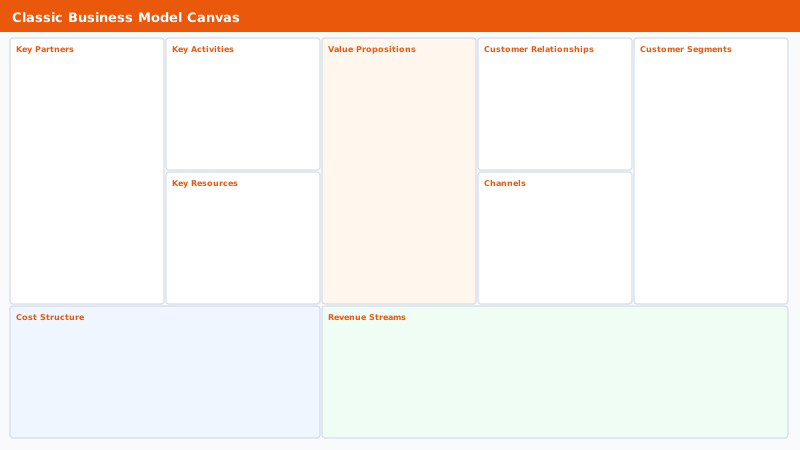
The business model canvas is a strategic management tool created by Alexander Osterwalder that captures a business model in nine building blocks on a single page. A business model canvas template gives you this pre-structured layout ready to fill in, without building the nine-block grid yourself.
The nine blocks are: Customer Segments, Value Propositions, Channels, Customer Relationships, Revenue Streams, Key Resources, Key Activities, Key Partnerships, and Cost Structure. Together they answer the fundamental questions every business must answer: Who do you serve? What do you offer them? How do you deliver it? How do you make money? What does it cost?
Unlike a full business plan that runs 20 to 50 pages, a completed canvas template fits on one page. It is designed to be revised frequently as your assumptions are tested and your understanding of the market improves.
- Early-stage startup founders validating a business idea before writing a full business plan
- Existing businesses analyzing a new product line or market pivot
- MBA students and business school case study analysis
- Entrepreneurs pitching to investors who want a concise overview of the business model
- Consultants mapping a client's current business model before recommending changes
- Teams brainstorming new revenue streams or strategic partnerships
The Nine Building Blocks Explained
Each block in the business model canvas addresses a specific dimension of how a business creates, delivers, and captures value. Here is what to write in each one.
- Customer Segments: Define the distinct groups of people or organizations you are creating value for. A business can serve one mass market, multiple niche segments, or two-sided markets (both buyers and sellers, like a marketplace platform).
- Value Propositions: Describe the bundle of products and services that create value for each customer segment. What problem does it solve? What need does it satisfy? Focus on the outcome for the customer, not the features of your product.
- Channels: List how you reach your customer segments to deliver your value proposition. Channels can be direct (your own website, sales team, physical stores) or indirect (retail partners, distributors, resellers).
- Customer Relationships: Describe the type of relationship you maintain with each customer segment. Options include personal assistance, self-service, automated services, communities, or co-creation.
- Revenue Streams: Document how you generate cash from each customer segment. Common models include one-time purchases, subscription fees, usage fees, licensing, advertising, and brokerage fees.
- Key Resources: List the most important assets required to make your business model work. Resources can be physical (equipment, facilities), intellectual (patents, brand, data), human (key talent), or financial.
- Key Activities: Describe the most important things your company must do to make the business model work. For a product company this is production. For a platform it is platform maintenance and network development.
- Key Partnerships: Identify the network of suppliers and partners that make your business model work. Partnerships help you optimize operations, reduce risk, or acquire resources you cannot own yourself.
- Cost Structure: Map all costs incurred to operate the business model. Identify the most expensive resources and activities. Distinguish between fixed costs (the same regardless of volume) and variable costs (scale with volume).
How to Fill In a Business Model Canvas
Filling in the canvas for the first time is a thinking exercise, not a documentation exercise. The goal is to surface your assumptions and test whether the nine blocks are consistent with each other. Here is the recommended sequence.
- Start with Customer Segments. Write down every distinct type of customer you plan to serve. Be specific. 'Small businesses' is too broad. 'E-commerce stores with 1 to 10 employees and under $500K annual revenue' is a customer segment.
- Fill in Value Propositions next. For each customer segment you listed, write the specific problem you solve or need you fulfill. The value proposition should map directly to a specific segment.
- Complete Channels and Customer Relationships together. How do you reach each segment? What kind of interaction do they expect (personal support, self-service, community)?
- Add Revenue Streams. How does each customer segment pay you? What are they actually paying for? Note the pricing mechanism: fixed pricing, dynamic pricing, subscription, or freemium.
- Map Key Resources and Key Activities. What do you need to deliver your value proposition? What do you need to maintain your customer relationships and channels?
- Identify Key Partnerships. Which of your key resources or activities could be handled more efficiently by a partner? Which risks can you share?
- Complete Cost Structure last. Once you have mapped everything else, the major costs become visible. List the top five to eight cost categories and indicate which are fixed versus variable.
- Review for internal consistency. Every block should connect logically to the others. If your value proposition requires a resource that is not in your Key Resources block, something is missing.
Business Model Canvas vs. Lean Canvas Template
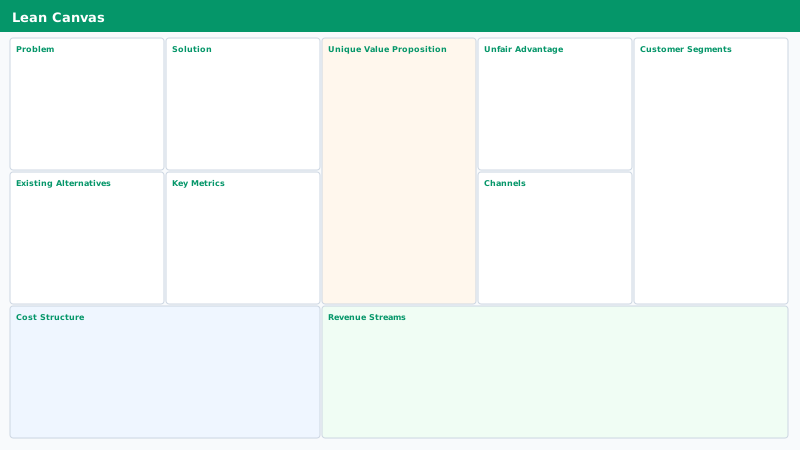
The lean canvas template is a variation of the business model canvas designed specifically for startups and early-stage ventures. Created by Ash Maurya, it replaces four of the nine original blocks with blocks more relevant to early-stage problem validation.
The lean canvas replaces Key Partners with Problem (the top 3 problems your customers have), Key Activities with Solution (the top 3 features that address those problems), Customer Relationships with Unfair Advantage (what you have that cannot easily be copied), and Key Resources with Metrics (the key numbers that tell you how the business is performing).
Use the original business model canvas template when you are documenting a mature business or pitching to investors who expect the standard format. Use the lean canvas template when you are in the earliest stages of a startup and your primary job is validating your problem and solution assumptions before building anything.
- Business Model Canvas: Best for established businesses, investor presentations, strategic planning
- Lean Canvas: Best for early-stage startups, problem-solution validation, rapid iteration
- Both fit on a single page and are meant to be revised regularly as you learn
- Both can be created using the template on this page with minor label adjustments
Tips for Getting the Most Out of the Canvas
The business model canvas is most valuable when it is treated as a living document, not a one-time exercise. These practices help you use it effectively.
- Use sticky notes on a printed or projected version. Sticky notes signal that everything is a hypothesis, not a fact. They make revisions easy and signal that the canvas is expected to change.
- Fill in the canvas as a team. Different people in your organization understand different blocks better. Sales knows customer segments. Engineering knows key activities. Finance knows cost structure.
- Create a separate canvas for each major customer segment. If you serve two fundamentally different customer types, their value propositions, channels, and revenue streams will differ. One canvas per major segment is often clearer than trying to fit everything on one.
- Test each assumption independently. Every box contains assumptions. Identify which assumptions, if wrong, would kill the business. Test those first.
- Compare current state vs. future state. Draw two canvases side by side: one for your current business model and one for the model you are aiming for. The differences reveal where the real strategic work is.
- Review the canvas quarterly. Business models evolve. A canvas you drew at founding may look completely different after your first year of real customer feedback.
The template