What Is a Brochure Template and Who Needs One
A brochure template is a pre-designed document layout that divides a page into the panels used in a folded brochure: most commonly three panels (trifold) or two panels (bi-fold). The template handles the column structure, fold marks, and spacing so you only need to add your text and images.
Brochures remain one of the most effective printed marketing tools because they are compact enough to hand out, mail, or display in a rack, but have enough space to explain a service, introduce an organization, or guide a reader through a process. A brochure template makes production fast enough that even a freelancer or small business without a dedicated designer can create a professional result.
- Small businesses introducing services at trade shows, storefronts, or networking events
- Nonprofits explaining their mission and donation process to new supporters
- Schools and universities creating orientation materials, program guides, and event materials
- Travel companies and tour operators producing destination or tour brochures
- Real estate agents providing property overviews or neighborhood guides
- Healthcare providers creating patient education and service overview materials
- Students completing a school project that requires a professional-looking brochure
Key Parts of a Brochure Template
Whether you are using a trifold brochure template, a bi-fold, or a travel brochure template, every effective brochure shares the same core structural elements. Knowing what goes where helps you fill in any template quickly.
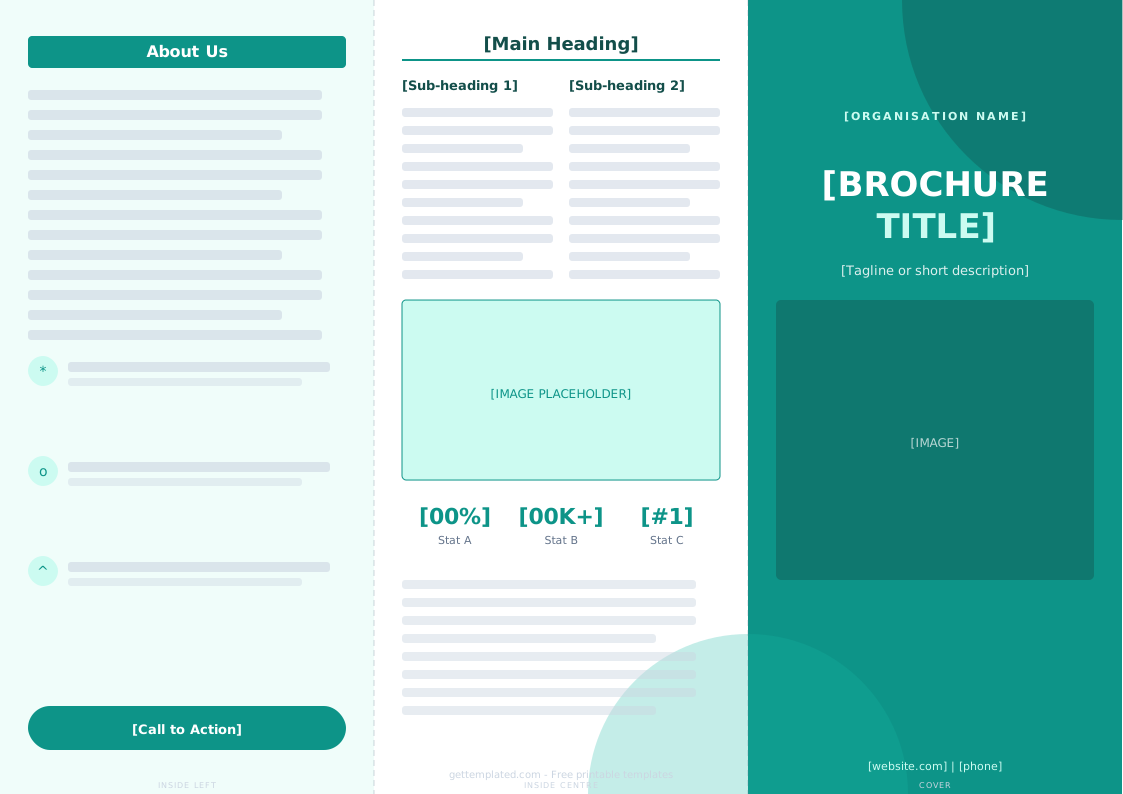
- Cover panel: Your headline, logo or main image, and a one-line summary of what the brochure is about. This is what someone sees before they open it, so it must earn the fold
- Inside panels: The bulk of your content, divided into two to four sections. Common sections include About Us, Services or Products, Benefits, and How It Works
- Call to action panel: A dedicated section telling the reader what to do next: visit a website, call a number, book an appointment, or scan a QR code
- Back panel: Contact information, address, social handles, and (if it will be mailed) a mailing zone
- Images and visual breaks: One strong image per panel prevents text overload. Brochures are skimmed, not read cover-to-cover
- Consistent branding: Matching fonts, colors, and logo placement across all panels make the brochure look professionally produced
How to Make a Brochure Using This Template
Creating a brochure from a template takes three to four steps regardless of the tool you use. The most important step is planning your content before you start placing text.
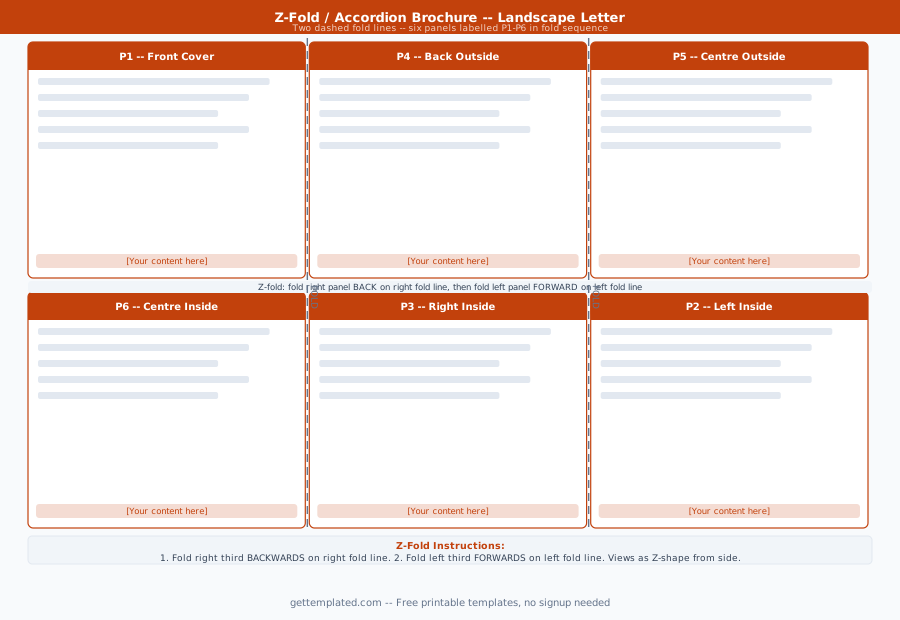
- Choose your format: trifold (most common, six panels), bi-fold (four panels), or z-fold (accordion). Trifold works for most purposes
- Open a brochure template in Google Docs, Google Slides, Word, or Canva depending on your preferred tool
- Draft your content in a plain document first: headline, one paragraph per panel, a list of features or services, and a clear call to action
- Paste your content into the template panels, keeping text in each panel short enough to read at a glance (under 80 words per panel is a good target)
- Add one image per panel using royalty-free photos from Unsplash, your own photos, or product images
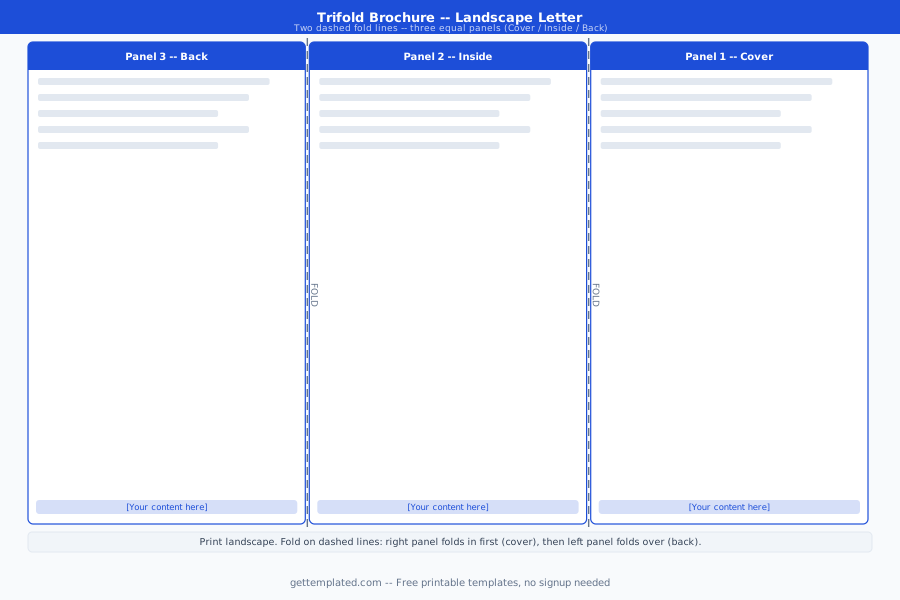
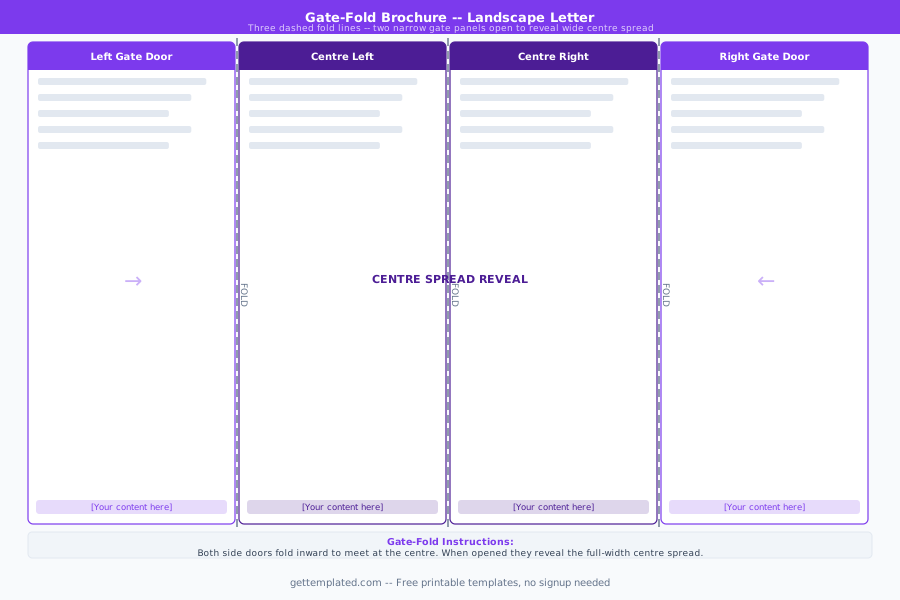
- Check the fold lines: in a trifold, the far-left inside panel and the far-right outside panel are the ones that fold inward, so their content is the first seen when opening
- Export as PDF for printing or for sending digitally, and test-print one copy before ordering in bulk
Trifold Brochure vs. Bi-Fold vs. Travel Brochure Templates
Brochure templates come in several fold formats, and each suits different content volumes and use cases.
A trifold brochure template divides a standard 8.5 x 11 sheet into three equal columns, creating six panels (three inside, three outside) when folded. It is the most recognizable brochure format and fits naturally in a display rack. Trifold templates work well for services, programs, and organizations with five to seven distinct points to communicate.
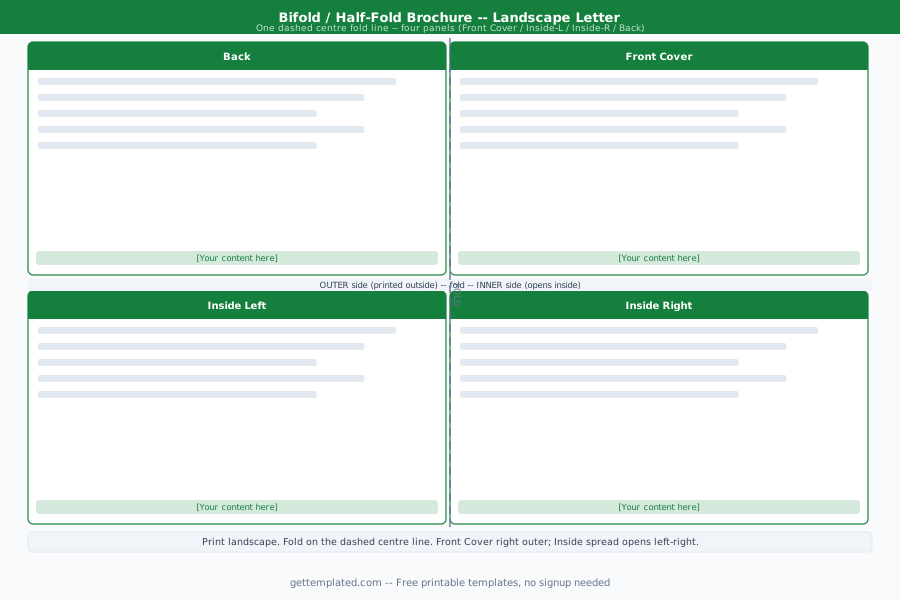
A bi-fold brochure template folds a sheet in half to create four panels (two inside, two outside). It provides more space per panel, which makes it better for content that needs more detail or larger images, such as a restaurant menu, an event program, or an architectural overview. Google Slides and Canva both have bi-fold brochure templates with pre-set dimensions.
A travel brochure template typically follows a trifold or bi-fold layout but emphasizes large, full-bleed landscape photography and destination-focused design. Travel brochures are common school projects and are also used by tour operators and travel agencies. The main difference from a business brochure template is that visuals carry more weight than text in a travel brochure.
Brochure Template in Google Docs, Word, and Canva
The tool you use to edit your brochure template matters mostly in terms of layout control and image handling.
A Google Docs brochure template or Google Slides brochure template is the easiest option for quick production. Google Docs handles text panels well and allows sharing and collaboration without software installation. Google Slides gives you more design flexibility because you can layer images and text boxes freely. Search for "brochure template Google Docs" to find templates in the Google Docs gallery.
A Word brochure template (Microsoft Word) gives you precise margin and column controls through the Layout tab. Word's table-based brochure templates keep panels aligned correctly for printing and work well on both Windows and Mac. Microsoft Office has built-in brochure templates in its template gallery.
A Canva trifold brochure template provides the most visual design control of the free options. Canva's drag-and-drop interface makes it easy to swap images, change colors, and adjust fonts without knowing anything about graphic design. The free Canva tier includes a wide selection of brochure templates in multiple fold formats.
Brochure Design Tips and Mistakes to Avoid
A well-structured brochure template is a starting point, not a guarantee of a good brochure. These tips separate effective brochures from ones that get discarded unread.
- Write for the fold: Readers open a trifold brochure one panel at a time. Put a hook on the cover, your strongest benefit on the first inside panel, and your call to action on the final panel
- Limit to one font family: Using a consistent font (one for headings, one for body text) looks professional. Mixing four different fonts looks amateur
- Use white space intentionally: A crowded brochure with text in every corner is harder to read than one with breathing room between sections
- Match your images to your audience: Generic stock photos reduce credibility. Real photos of your team, location, or product outperform abstract imagery
- Always include a specific call to action: "Learn more" is weak. "Call us at [number] for a free consultation" or "Scan to book online" gives the reader a clear next step
- Print a test copy before bulk printing: Colors on screen often print differently. A single test print catches margin problems and color shifts before they affect hundreds of copies
The template