What an Album Cover Template Is and Who Uses It
An album cover template is a design layout guide that establishes the correct dimensions, text hierarchy, and compositional zones for a music release artwork. It is used by independent musicians uploading to streaming platforms, podcast creators setting up cover art, beatmakers releasing mixtapes, and anyone who wants to create professional artwork without starting from a blank canvas.
Album covers serve a dual purpose: they represent the music visually in thumbnail form on streaming platforms and playlists, and they create a first impression that influences whether a listener engages. A well-structured template ensures the artwork meets technical requirements (Spotify, Apple Music, and Bandcamp all have specific size minimums) and that the artist name and title are readable at thumbnail size.
- Independent musicians releasing singles, EPs, or full albums on streaming platforms
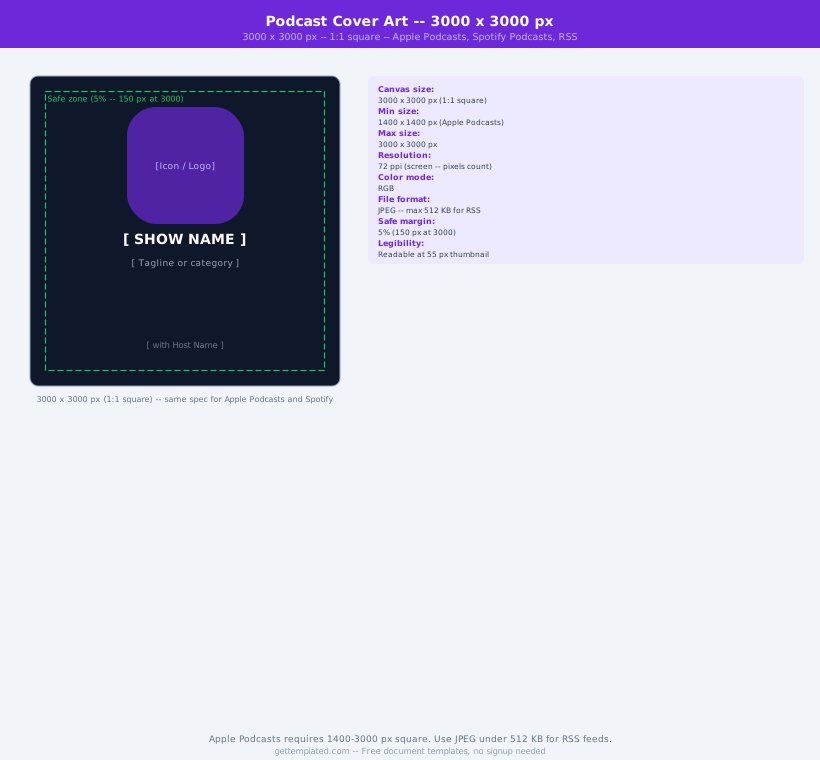
- Podcast creators who need square cover art for Spotify, Apple Podcasts, and Pocket Casts
- Beatmakers releasing instrumental projects on SoundCloud, BeatStars, or YouTube
- Bands creating physical CD or vinyl artwork for small-run releases
- Content creators making YouTube thumbnails or SoundCloud covers in a consistent visual style
- Music students working on class projects that require professional presentation
Album Cover Dimensions and Technical Requirements
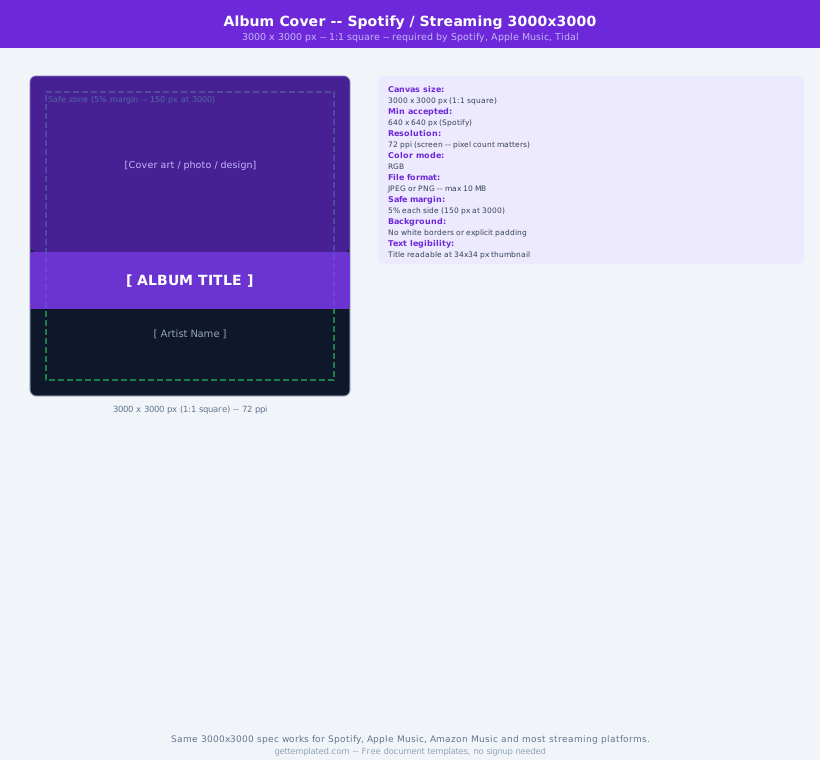
Every major streaming platform has specific size requirements for album artwork. Using the wrong dimensions results in rejected uploads, blurry thumbnails, or artwork that looks poor on high-resolution screens. The universal standard has converged on a 3000 x 3000 pixel square as the baseline for uploads.
- Spotify: minimum 640 x 640 px, recommended 3000 x 3000 px, JPEG format, maximum 10 MB
- Apple Music / iTunes: minimum 1400 x 1400 px, recommended 3000 x 3000 px, JPEG
- Bandcamp: minimum 700 x 700 px, recommended 1400 x 1400 px or larger
- SoundCloud: minimum 1400 x 1400 px, recommended 3000 x 3000 px
- YouTube Music: 3000 x 3000 px standard
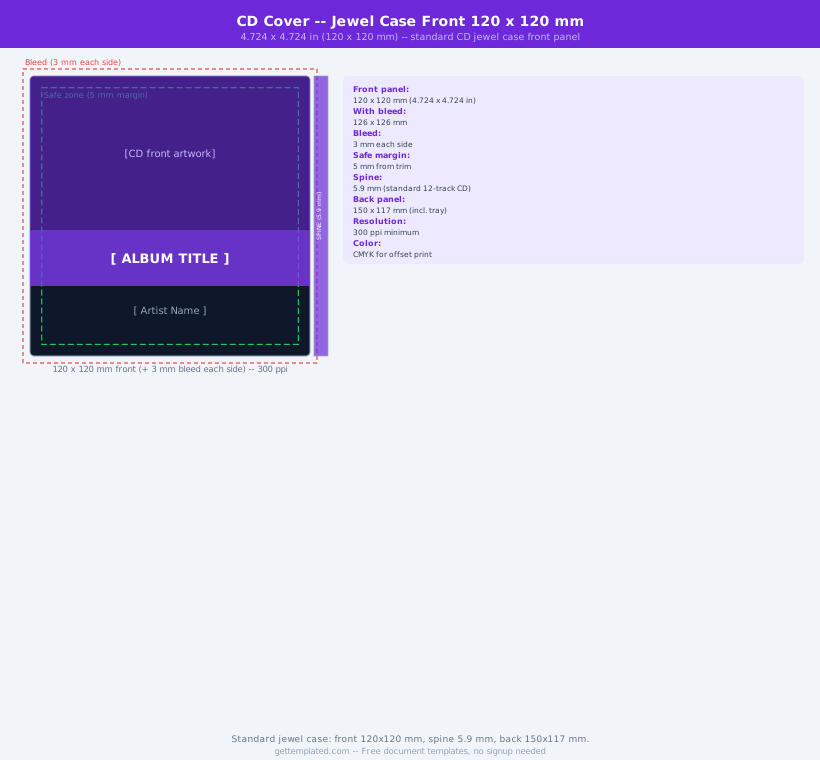
- Physical CD: 4.75 x 4.75 inches at 300 dpi = 1425 x 1425 pixels at minimum (higher is better)
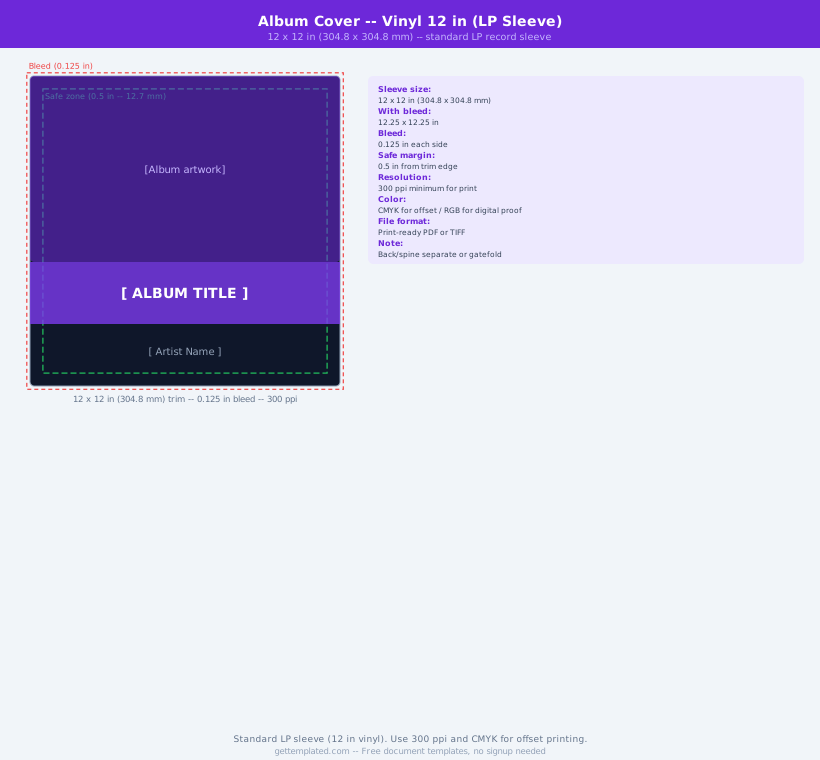
- Vinyl LP insert: 12.375 x 12.375 inches at 300 dpi for standard inner sleeve printing
How to Design an Album Cover Step by Step
Creating your album cover using the template dimensions and compositional guide above takes about an hour in Canva or any design tool. The key decisions are: your primary visual, typography for artist name and title, and color palette. These three elements determine whether the cover looks professional or amateur.
- Set up your canvas at 3000 x 3000 pixels in Canva, Adobe Photoshop, Illustrator, or GIMP. Use RGB color mode for digital releases.
- Establish the safe zone. Keep all essential text and important visual elements at least 150 pixels from the edge. Streaming platforms sometimes crop or frame artwork in ways that cut the edges.
- Place your primary visual in the central 60% of the canvas. This is the element that communicates the mood and genre. It can be a photograph, illustration, abstract texture, or typography-only layout.
- Add the artist name in the largest type. It should be readable at 300 x 300 pixels (thumbnail size). Test this by scaling the canvas down while designing.
- Add the album, EP, or single title in secondary type. Make sure it does not compete visually with the artist name.
- Check contrast. Text must be readable against the background color or image. Use a dark overlay behind light text, or vice versa, if the background is busy.
- Export as JPEG (quality 90% or higher) at 3000 x 3000 pixels. Upload to your distribution platform and verify the thumbnail looks correct in the platform preview.
Design Elements That Make Album Covers Work
The best album covers share a few design principles. Understanding them helps you make intentional choices rather than guessing. Genre conventions also matter: a metal album cover and a lo-fi hip-hop cover have very different visual languages, and audiences respond to those signals before they hear a single note.
- Strong focal point: one dominant visual element that the eye goes to first. Avoid competing focal points.
- High contrast between text and background: light text on dark backgrounds or dark text on light. Avoid medium-value text on medium-value backgrounds.
- Limited color palette: two to four colors generally produces more cohesive results than many colors. Monochromatic or analogous palettes look intentional.
- Typography that matches the genre: hand-lettered fonts for folk and indie, bold sans-serif for hip-hop and pop, serif or blackletter for metal and classical, clean geometric type for electronic and ambient.
- Readable at thumbnail: open Spotify and look at the grid of album covers at thumbnail size. The best ones are still recognizable and convey mood at that size.
- Intentional negative space: do not feel you need to fill every pixel. White or dark space around a subject creates visual breathing room and often looks more polished.
Free Tools for Creating Album Cover Art
You do not need expensive software to produce professional-looking album art. Several free or low-cost tools handle everything from photo editing to typography to illustration, and each has strengths depending on your design skills and the type of artwork you want.
- Canva (free tier): the fastest option for beginners. Start from a square template, add your own images or use Canva stock library, and export at 3000 x 3000 px.
- GIMP (free, open source): full-featured photo editing similar to Photoshop. Good for image manipulation and composite album art.
- Photopea (free, browser-based): runs in a browser tab and handles PSD files. Good for Photoshop-style editing without installing software.
- Adobe Express (free tier): simplified version of Adobe tools with templates and font access.
- Affinity Photo or Designer (one-time purchase, no subscription): professional tools at a fraction of Adobe cost, often used by indie musicians.
- Midjourney or other AI image tools: can generate unique, high-quality images for album art. Use the generated image as a background or primary visual, then add typography in your design tool.
The template