What Is a Pokemon Card Template?
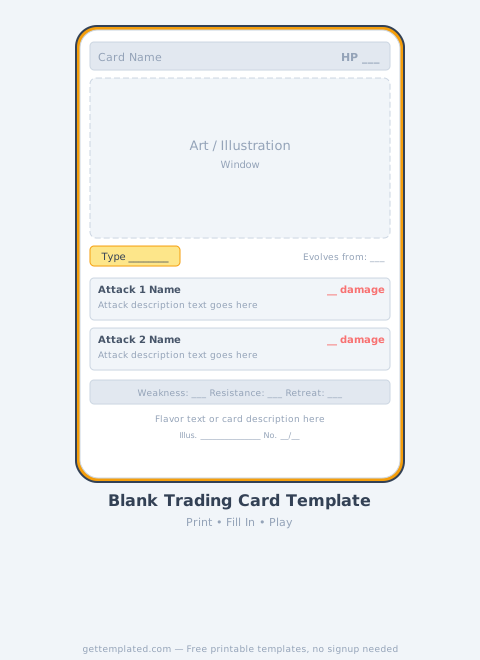
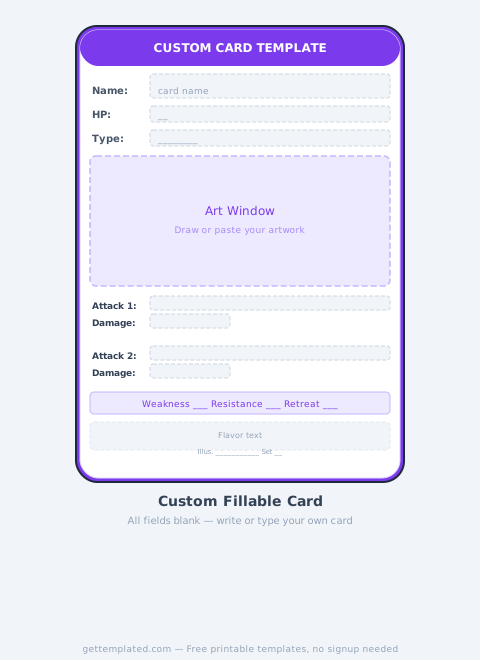
A Pokemon card template is a pre-structured layout that replicates the visual and informational format of an official Pokemon Trading Card Game card. It includes all the standard zones: the name banner, HP counter, card type indicator, art box, ability and attack fields, weakness/resistance/retreat stats, flavor text, and card number.
The template is used by fans, educators, and content creators who want to design original "fakemon" cards, classroom printables, or personalized gifts without starting from scratch. Because the official card format is iconic and immediately recognizable, matching the layout makes any custom card feel authentic and polished.
- Name banner at the top with HP and card type
- Large art box for custom or AI-generated illustrations
- Ability block (optional) and up to two attack blocks
- Weakness, resistance, and retreat cost at the bottom
- Flavor text line and illustrator/card number fields
Key Parts of a Pokemon Card Explained
Each zone on a Pokemon card serves a specific game function. Understanding what goes where prevents common mistakes when filling out a custom card and keeps your design readable.
The HP value typically ranges from 30 (small Basic Pokemon) to 340 (heavyweight VMAX cards). For a standard custom Basic Pokemon, 60-120 HP feels balanced. Attack damage should pair logically with energy cost: a one-energy attack usually deals 20-40 damage, while a three-energy attack might deal 80-150.
- Stage (Basic, Stage 1, Stage 2): shows the evolution level
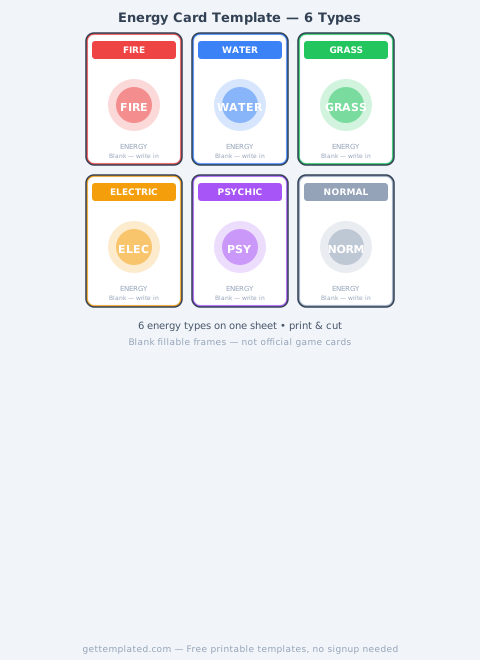
- Energy type: Fire, Water, Grass, Lightning, Psychic, Fighting, Darkness, Metal, Dragon, Fairy, Colorless
- Ability: passive effect that applies outside of attacks (optional)
- Attack: costs energy, deals damage, may have a secondary effect
- Weakness: doubles damage from a specific type (usually shown as Type x2)
- Resistance: reduces damage by 30 from a specific type (shown as Type -30)
- Retreat cost: colorless energy required to swap this Pokemon out
How to Fill Out a Custom Pokemon Card Template
Whether you're using a printable PDF version, a Google Docs layout, or a graphic design tool like Canva, the filling process follows the same logic. Here's how to go from blank template to finished card.
- Pick a concept: choose an original idea, a real animal reimagined, or a "fakemon" based on a theme (food, weather, mythology, etc.)
- Name your Pokemon and assign a type that fits its concept (a fire lizard = Fire type; a crystal golem = Steel type)
- Set HP based on the Pokemon's size and toughness (small/fast = 60-80 HP; large/slow = 120-180 HP)
- Write one or two attacks with names, energy costs, damage numbers, and any secondary effects
- Assign weakness and resistance to types that logically counter or complement your Pokemon's type
- Fill in the flavor text (one sentence of lore, written from an in-universe perspective)
- Add your name as illustrator, pick a rarity, and number the card (e.g., 001/001 for a one-off)
Who's That Pokemon? Template Variation
The "Who's That Pokemon?" template is a separate format inspired by the silhouette reveal segments from the original anime. It shows a solid black silhouette of a Pokemon outline in the first panel, then the revealed colored image in the second panel.
This format works great as a quiz slide for classroom presentations, a social media post to engage followers, or a party game prop. To create one, you need a side-profile image of your Pokemon, then fill it with black or dark color for the silhouette panel. The template has two side-by-side boxes with the question text above the first and the answer text above the second.
- Classroom quiz: show silhouette, ask students to guess, then reveal
- Social media engagement: post silhouette on Monday, reveal on Friday
- Party game: print silhouettes as a guessing sheet for Pokemon fans
- Creative writing prompt: describe the Pokemon without naming it
Pokemon Card Template Formats: Google Docs, Printable, and More
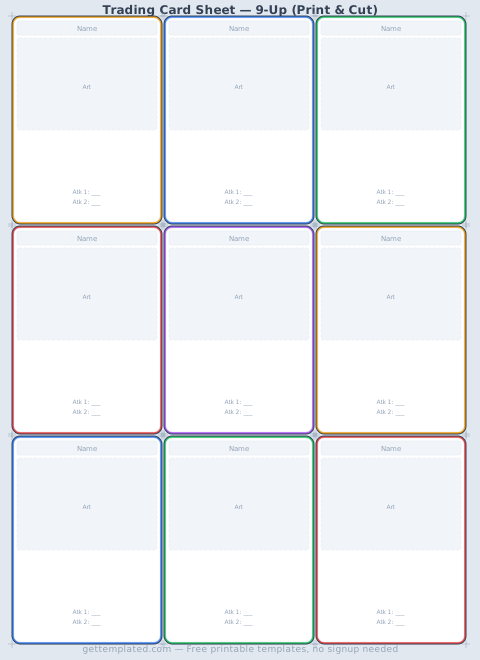
Different formats serve different needs. A printable Pokemon card template (standard 2.5 x 3.5 inches) is ideal when you want a physical card to hold, sleeve, and shuffle. Print on cardstock for durability. A Google Docs or Google Slides version is easier to share digitally and lets multiple people collaborate on a class set of cards.
For higher visual quality, graphic tools like Canva or Photoshop let you layer card textures, holo effects, and custom artwork. For classroom use, a simple Word document or Google Docs template with a table-based layout is fast and printer-friendly. The text-based template above works in any of these tools.
- Printable (PDF): best for physical cards, print on 2.5x3.5 cardstock
- Google Docs: easy collaboration, shareable link, no software needed
- Google Slides: good for "Who's That Pokemon?" presentation format
- Word/DOCX: simple table layout, works offline, easy to email
- Canva: visual design with textures, holo effects, and art overlays
Tips for Making a Great Custom Pokemon Card
The most common mistake is unbalanced stats. If your custom Pokemon has 300 HP and two attacks that each do 200 damage for one energy, it's not realistic or fun to play. Try to keep stats proportional to official cards of the same stage and type.
Another common issue is overcrowded attack text. Official cards keep attack descriptions to one or two short sentences. If your effect needs three lines to explain, simplify it. Clear, concise text makes the card look professional and actually playable.
- Keep HP within realistic ranges for the card's stage (Basic: 60-130, Stage 1: 90-160, Stage 2: 130-340)
- Match energy cost to attack power: high damage needs more energy
- Use flavor text to add personality, not game mechanics
- Stick to one ability maximum per card, as on official cards
- Print on cardstock or laminate for durability as a physical prop
- If creating for classroom use, keep the design age-appropriate and simple
The template