What a Word Search Template Is and Who Needs One
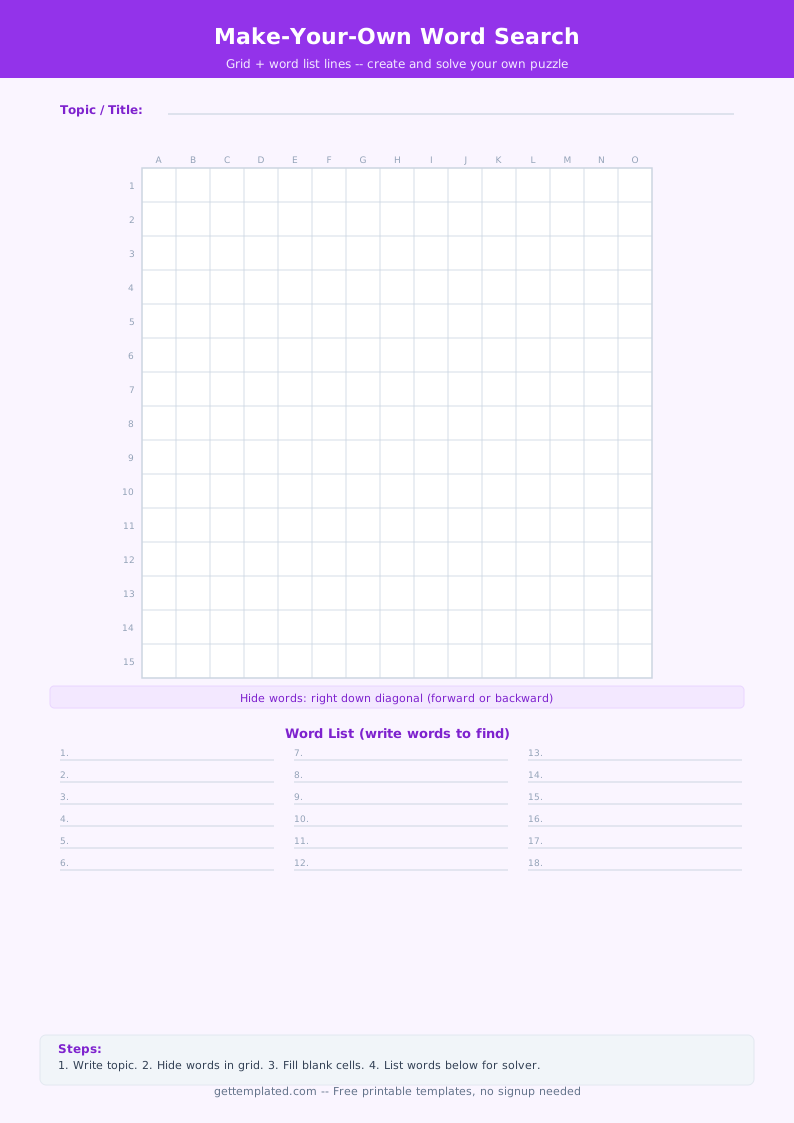
A word search template is a blank grid, usually 10x10 to 15x15 squares, where the puzzle maker places a set of words in any direction (horizontal, vertical, diagonal, or backwards) and then fills every remaining square with random letters. The finished puzzle challenges solvers to find each word by scanning the grid in all directions.
Word search templates are among the most widely used printable learning tools in classrooms and homes. Teachers use vocabulary word search templates to review new terms after a reading or lesson without requiring students to write sentences. Parents use themed versions for travel entertainment or holiday activities. Event organizers use custom word searches for bridal showers, birthday parties, or baby showers where the words relate to the guest of honor or the occasion.
- Teachers reinforcing vocabulary from a recent lesson, chapter, or unit
- Parents looking for an educational activity that keeps children occupied on car trips or rainy days
- Students reviewing spelling words or subject-specific terminology before a test
- Event planners creating themed party activities tied to a specific topic or person
- ESL and language instructors introducing new words in an interactive format
- Anyone who wants to create a personalized puzzle as a gift or keepsake
What to Include in a Word Search Template
A well-made word search has enough structure to be fair to the solver while being challenging enough to hold their interest. Getting these elements right is what separates a frustrating puzzle from an enjoyable one.
- Grid size: choose a size that fits your word list comfortably without too many empty squares (a 10x10 grid for 8 to 10 short words; a 15x15 grid for 12 to 20 words)
- Word list: 8 to 20 words works well for most puzzles; fewer than 8 feels thin, more than 25 can make the grid too cluttered
- Word placement: distribute words in at least 3 to 4 different directions (across, down, diagonal, and at least one backward direction) to increase variety
- Random filler letters: fill all empty squares with random letters after placing the words; avoid repeating the same letter too many times in a row
- Puzzle title: a theme name at the top tells solvers what the words have in common
- Word list display: print the word list below or beside the grid, capitalized and in a clear font
- Solver name and date line: useful for classroom worksheets where the teacher collects the puzzle
How to Make a Word Search Using This Template
Creating a word search by hand is straightforward once you have your word list ready. The key rule is to place all your words in the grid first, then fill the empty squares with random letters. Never do it the other way around, or you will accidentally create conflicts where filler letters form unintended words.
- Choose your word list. Aim for 10 to 15 words for a 15x15 grid. Keep words between 4 and 10 letters for the best balance of challenge and fit.
- Draw or print a blank grid. A 15x15 grid fits comfortably on a standard sheet of paper with room for the word list below.
- Place your words one at a time. Pencil in each word along a row, column, or diagonal, going forward or backward. Mark the starting square for each word lightly so you can track what you have placed.
- Vary the directions. Use at least four of the eight possible directions across your full word list so the puzzle is not too predictable.
- Fill every remaining empty square with a random letter. Use a mix of letters from the alphabet and avoid clustering the same letter in adjacent squares.
- Write the word list beneath the grid in alphabetical order or grouped by category. Capitalize all words.
- Trace over your grid letters in pen and erase any pencil marks, or finalize your digital version and save it as a PDF for printing.
Word Search and Crossword Template Variations
The word search is one of several puzzle formats built around a letter grid. Knowing the differences helps you choose the right format for your learning or entertainment goal.
A crossword template is the closest relative to a word search template. In a crossword, words interlock by sharing letters at crossing points, and the solver uses numbered clues (across and down) to figure out each word. Crosswords require more prior knowledge from the solver and take longer to make, but they are more cognitively demanding and better at testing comprehension rather than just recognition. For classroom use, a vocabulary word search works well as a warm-up or review activity, while a crossword is more appropriate for an assessment where students need to recall meanings, not just identify letters.
- Standard word search template: hidden words placed in any direction in a letter grid
- Crossword template: interlocking words with numbered across and down clues
- Themed word search: all words relate to a single topic (animals, holidays, a book title, a person's name)
- Vocabulary word search: uses the key terms from a lesson or unit for classroom review
- Blank word search grid: an empty grid you fill in from scratch with any words
- Word scramble: the same words from a word list are jumbled for solvers to unscramble, no grid required
Tips for a Better Word Search Puzzle
A word search is quick to make but easy to make badly. These tips will help you create a puzzle that is satisfying to solve rather than frustrating or dull.
- Avoid placing words that share a sequence of three or more letters in adjacent positions. A solver who finds one word by accident should not immediately stumble onto another.
- Use words that are long enough to be worth finding. Words shorter than 4 letters are trivially easy to find and tend to appear accidentally in the filler letters.
- Choose a theme and stick to it. A word search about ocean animals is more memorable and educational than one with random unconnected words.
- For classroom use, have students write a definition or sentence for each word after finding it. This turns a passive recognition activity into an active vocabulary exercise.
- To make a crossword template from scratch, start with your longest word and build intersecting words around it, working outward. Each new word must share at least one letter with an already-placed word.
- Proofread the finished grid before printing. Read across every row, down every column, and along every diagonal to catch any accidental words that are not on your list but might confuse solvers.
The template