What Is a Graphic Organizer Template and Who Uses It
A graphic organizer template is a visual framework that uses boxes, lines, arrows, and columns to help you structure information before you write, study, or present it. Instead of looking at a blank page, you fill in a pre-drawn layout that shows how ideas relate to each other.
Teachers use graphic organizer templates to scaffold writing assignments, literature analysis, science reports, and social studies projects. Students use them to take structured notes, plan essays, and study for tests. The visual format helps learners who struggle with organizing ideas in paragraph form, seeing the structure laid out spatially makes it much easier to identify what belongs where.
Graphic organizers are not just for K-12 classrooms. Business teams use concept map layouts during strategic planning, and writers use story-mapping organizers to plot novels and screenplays.
- Elementary and middle school students planning a five-paragraph essay
- High school students analyzing themes or characters in literature
- Teachers building lesson plans and classroom activities
- Science students comparing hypotheses or experimental results
- Writers planning the structure of an article, report, or story
- Business teams brainstorming solutions or mapping out a project
Types of Graphic Organizer Templates
Different tasks need different organizer shapes. Here are the most common types, what they look like, and when to use each one.
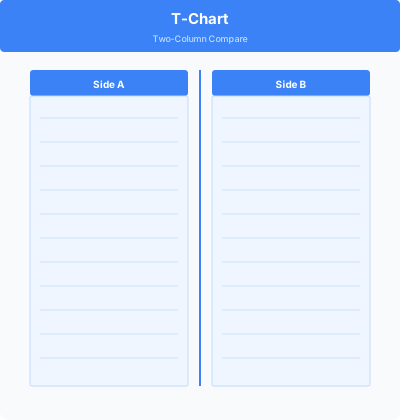
- T-Chart: Two columns side by side for comparing and contrasting two subjects, weighing pros and cons, or separating facts from opinions
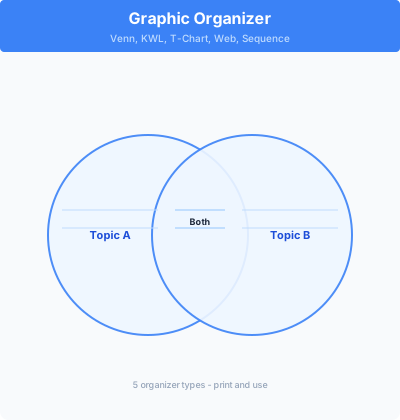
- Venn Diagram: Two or three overlapping circles for showing what two or three items have in common versus what is unique to each
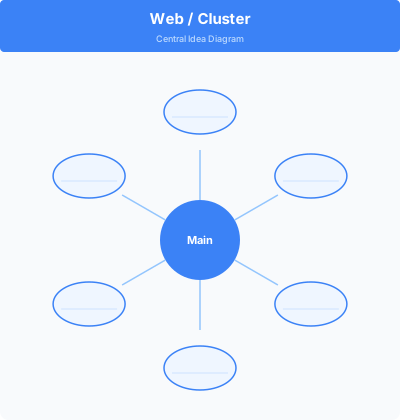
- Brainstorm Web (Concept Map): A central circle with radiating spokes for generating ideas around a main topic
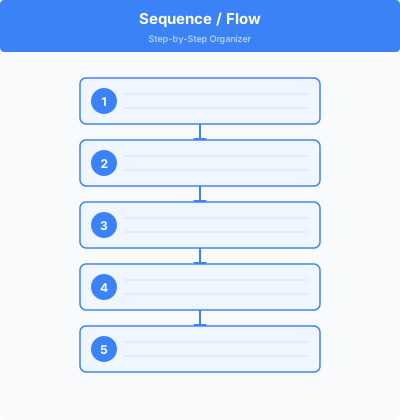
- Sequence Chart: A row of boxes connected by arrows for putting events, steps, or story events in order
- Main Idea and Details: A large box at the top for the main idea with smaller supporting boxes below for details or evidence
- Story Map: Boxes for setting, characters, problem, events, and resolution for planning or analyzing a narrative
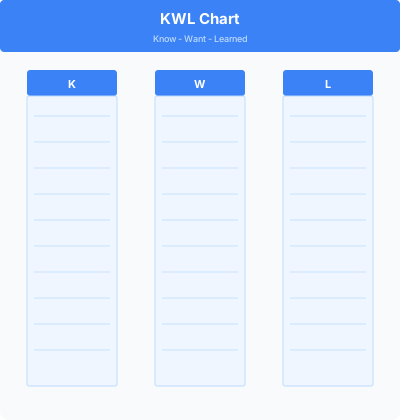
- KWL Chart: Three columns for what you Know, what you Want to know, and what you Learned after a unit or lesson
- Cause and Effect: One or more cause boxes flowing into effect boxes, useful for science experiments and history events
How to Use a Graphic Organizer Template
Using a graphic organizer template takes five minutes to set up and saves hours of disorganized note-taking or writing. Here is the standard process for students and teachers.
- Choose the right organizer type for your task: comparing two things (T-chart or Venn), putting things in order (sequence chart), generating ideas (web), or supporting an argument (main idea + details).
- Print the template or open it digitally in Google Docs or another editor.
- Write the topic, question, or assignment prompt at the top before filling in anything else.
- Fill in the organizer with short phrases or keywords, not full sentences. The goal is to capture ideas quickly.
- Review what you have written and move or cross out items that do not fit before moving to a draft.
- Use your completed graphic organizer as an outline when writing your paragraph, essay, or report.
Graphic Organizer Templates by Subject Area
The same organizer formats work across subjects, but specific layouts are particularly useful for certain types of school work.
English Language Arts: Story maps and character analysis webs work well for fiction. T-charts help students separate textual evidence from interpretation. Essay planning templates with an intro box, three body-paragraph boxes, and a conclusion box are practically universal at the middle school level.
Social Studies and History: Cause-and-effect organizers are the backbone of history analysis. Timeline sequence charts work for chronological events. Compare-and-contrast T-charts are useful for comparing governments, economies, or historical figures.
Science: KWL charts launch new units. Lab report organizers separate hypothesis, procedure, results, and conclusion. Venn diagrams help students compare organisms, ecosystems, or chemical properties.
Math: Graphic organizers are less common in math, but concept maps work for categorizing types of numbers, operations, or geometric shapes. Problem-solving organizers can break a word problem into known information, unknown, formula, and answer.
Printable vs. Digital Graphic Organizer Templates
Both formats serve different classroom and study situations.
Printable graphic organizer templates are ideal for paper-based classrooms, standardized test prep (where writing by hand mirrors test conditions), and young learners who benefit from physically filling in boxes with a pencil. Print the template, pass it out, and collect completed organizers to check for understanding.
Digital graphic organizer templates in Google Docs or Google Slides work well for 1:1 device classrooms and remote learning. Students can type into the boxes, change the layout, and submit digitally. Google Docs tables are a simple way to build T-charts and sequence charts without a specialized tool. For more visual layouts (concept maps with connecting arrows), Google Slides or Canva templates offer more flexibility.
Tips for Getting the Most Out of Graphic Organizer Templates
Graphic organizers are most effective when students understand why they are using a particular layout, not just what to fill in. These tips help teachers and students use organizers more intentionally.
- Match the organizer to the thinking task before assigning it: comparison tasks need T-charts or Venn diagrams, not a sequence chart
- Model the first one together as a class, thinking aloud as you decide what goes where
- Encourage short phrases and keywords in the boxes, not full sentences, so the organizer stays scannable
- Let students share their completed organizers with a partner to compare how they structured the same information differently
- Keep a small set of laminated graphic organizer templates in class that students can write on with dry-erase markers and reuse
- For essay planning, require students to use the organizer before writing any draft, then compare the draft to the plan afterward
The template