What a Genogram Is and Who Uses One
A genogram is a graphic representation of a family system that goes beyond a standard family tree by including medical history, emotional relationships, significant life events, and behavioral patterns. Where a family tree shows who is related to whom, a genogram shows how those relationships actually function and what conditions or patterns recur across generations.
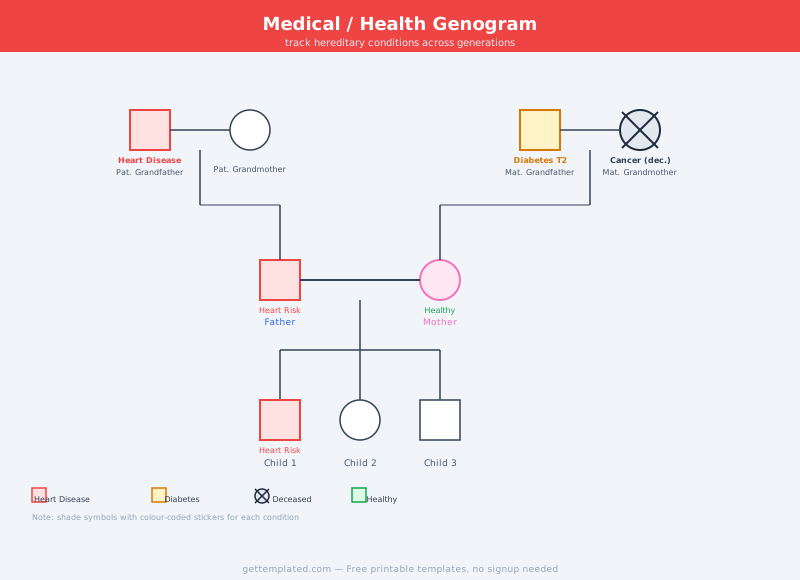
The concept was developed in clinical settings and remains a standard tool in family therapy, medical intake assessments, and social work. A therapist uses a genogram to identify patterns of addiction, mental health conditions, or relationship conflict that repeat in a family over generations. A physician uses one to track hereditary conditions like heart disease, cancer, or diabetes. A social worker uses one to understand a child's support network and potential risk factors. Families use genograms for personal insight and to preserve health history for future generations.
An ecomap template, which is closely related, maps a family's connections to external systems, schools, religious communities, employers, and support organizations, rather than internal family relationships. Some practitioners use both tools together for a complete picture of a family's situation.
- Family therapists and counselors mapping relationship dynamics over multiple sessions
- Physicians and nurses recording a patient's complete family medical history
- Social workers assessing child welfare cases and family support systems
- Genetic counselors helping families understand hereditary condition risks
- Individuals doing personal research into family health history or behavioral patterns
- Students in social work, nursing, psychology, and counseling programs completing coursework
- Genealogy researchers who want to capture more than just names and dates
What to Include in a Genogram
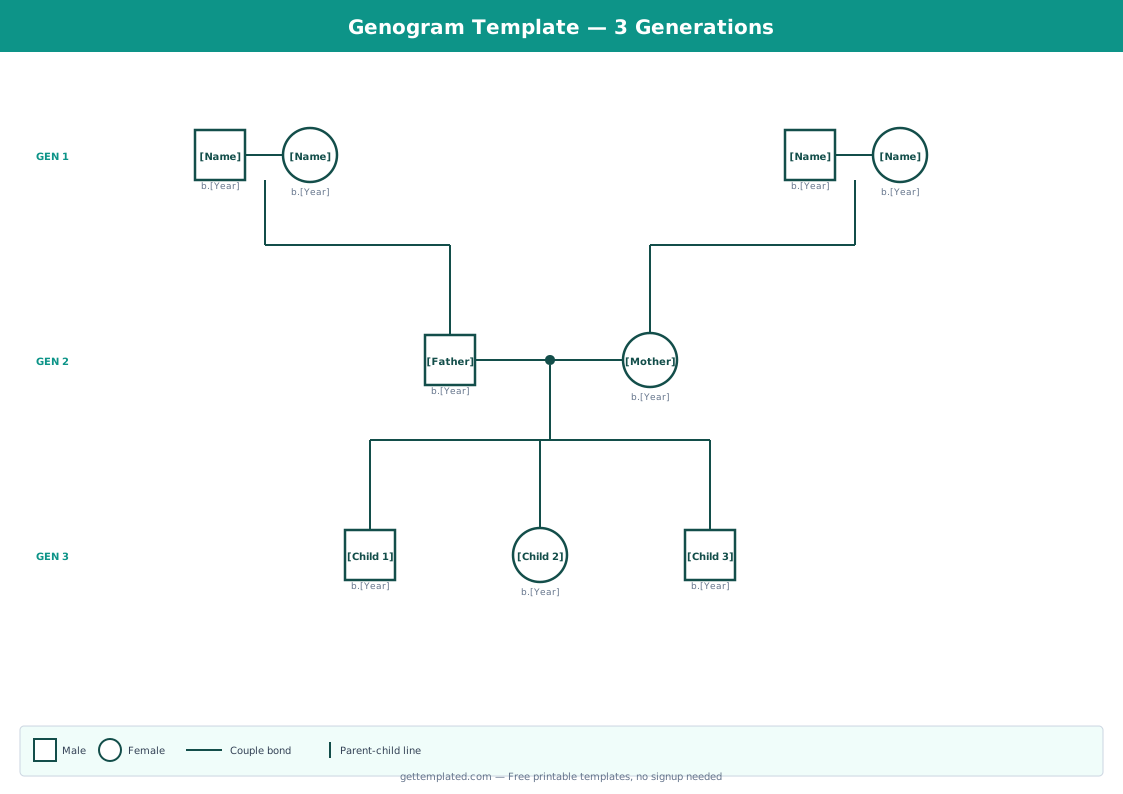
A complete genogram captures three layers of information: identity, relationships, and patterns. The identity layer covers basic demographics for each family member. The relationship layer shows how people are connected and the quality of those connections. The pattern layer records any recurring themes across generations, health, behavioral, emotional, or relational.
Most genograms span at least three generations to reveal meaningful patterns, though some clinical applications go back four or five generations. A family crest template or coat of arms template serves a different purpose, focusing on heraldic symbols and lineage rather than health and relational dynamics, but can be combined with a genogram when doing comprehensive family history work.
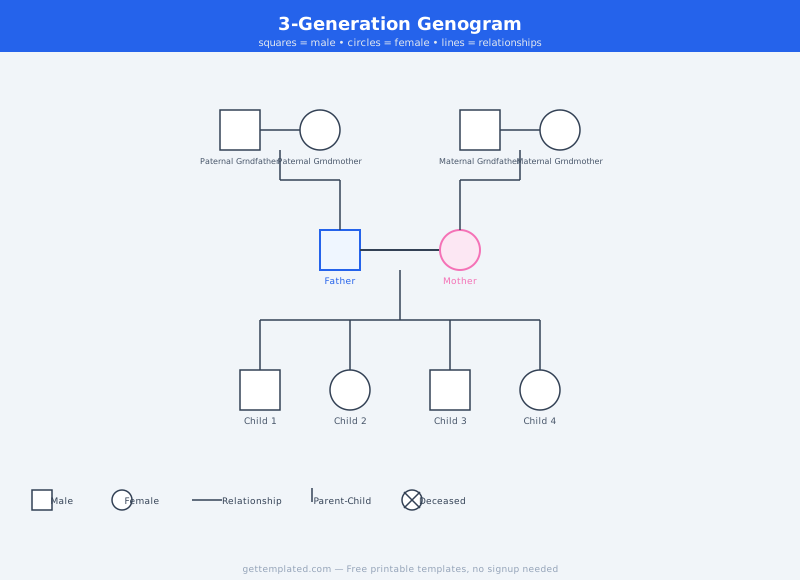
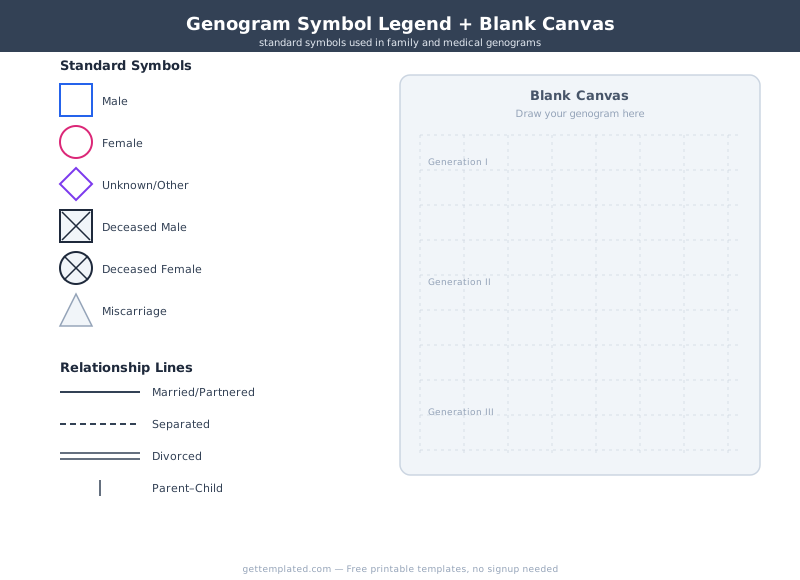
- Full name, birth year, and death year for each family member (use standard symbols: square for male, circle for female)
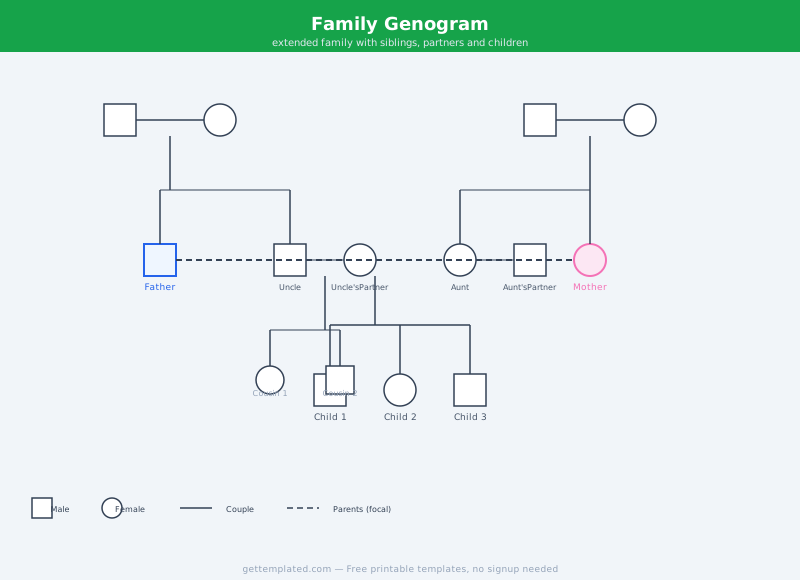
- Relationship type between couples: married, common-law partnership, separated, divorced, or remarried
- Children listed below the couple who are their biological parents, with adoptions noted
- Significant health conditions for each individual, especially hereditary ones
- Emotional relationship quality: close, conflicted, estranged, or distant (shown by line style)
- Major life events: divorce, remarriage, substance use history, incarceration, or early death
- Patterns section at the bottom noting any recurring themes across generations
How to Make a Genogram Using This Template
You can build a genogram on paper, in Google Docs or Google Slides using shapes and connectors, or in a dedicated diagramming tool like draw.io or Lucidchart. The text-based template above works well as a starting point for collecting the raw data before you convert it into a visual diagram. Fill in all the fields, then translate the information into the standard genogram symbols and connector lines.
Start with what you know and leave gaps where information is incomplete. Gaps are themselves meaningful in a clinical context, they can indicate estrangement, adoption, or undisclosed history. You can print the text version as a working document or share a Google Doc version with family members to crowdsource information before finalizing the visual diagram.
- Start with yourself or the identified patient in the center of Generation 3 and work outward
- Add parents (Generation 2) directly above with a vertical line connecting them to you
- Add grandparents (Generation 1) above the parents, connected by vertical and horizontal lines
- Add siblings in Generation 3 as horizontal branches off the same parental couple
- Add children in Generation 4 below, connected by vertical lines from your couple pair
- Mark each person's health conditions, significant events, and relationship quality
- Review the completed diagram for recurring patterns and note them in the patterns section at the bottom
- Save the finished file to Google Drive or print it for your records or clinical session
Genogram vs Ecomap vs Family Crest: Which Do You Need
These three tools look similar at a glance because they all involve diagrams with family members, but they serve very different purposes.
A genogram focuses on the family system itself: internal relationships, health history, generational patterns, and emotional connections between family members. It answers the question: how does this family function and what patterns repeat across generations?
An ecomap template focuses on a family's relationship with the world outside the family: schools, workplaces, healthcare providers, religious institutions, community organizations, and social support. It answers the question: what external resources and stressors affect this family? Ecomaps are especially common in social work and case management.
A family crest or coat of arms template is a heraldic document used in genealogy and family history projects. It records lineage, symbols, and family identity rather than clinical or behavioral information. A coat of arms template is appropriate when you want to create a symbolic family emblem or research historical European noble lineages.
- Use a genogram when you need to track health history, behavioral patterns, or relationship dynamics across generations
- Use an ecomap when you need to map a family's connections to external support systems and community resources
- Use a family crest or coat of arms template when you are doing genealogical research or creating a symbolic family emblem
- Combine a genogram and ecomap in clinical settings where both internal dynamics and external resources need to be assessed
- Use a family tree (not a genogram) when you only need names, dates, and lineage without relationship quality data
Genogram Tips and Common Mistakes
The most common mistake when creating a genogram is treating it like a family tree and skipping the relationship and pattern layers. If your diagram only shows who is related to whom without capturing relationship quality and recurring conditions, it is not functioning as a genogram.
A second common mistake is only going back two generations. Two generations rarely reveal meaningful patterns. Three generations is the minimum; four gives a much clearer picture for hereditary health concerns. If you are working with an older relative who can provide memory of great-grandparents, include that generation.
Keep your genogram current. Major life events (divorce, new diagnosis, death, birth) should be added as they occur, especially if the genogram is part of an ongoing clinical relationship or medical record. A genogram that is years out of date can be misleading rather than helpful.
- Always include at least three generations for the diagram to reveal patterns
- Use consistent symbols throughout (square for male, circle for female, X for deceased) so anyone can read it
- Note the type of relationship line, not just the connection, so conflict and distance are visible
- Leave blank rather than guessing: gaps are informative and should not be filled with assumptions
- Review completed genograms with a trusted person or clinician who can help you interpret what you see
- Store health information in the genogram securely, especially in clinical settings with privacy requirements
The template