What a Box Template Is and What You Can Make with One
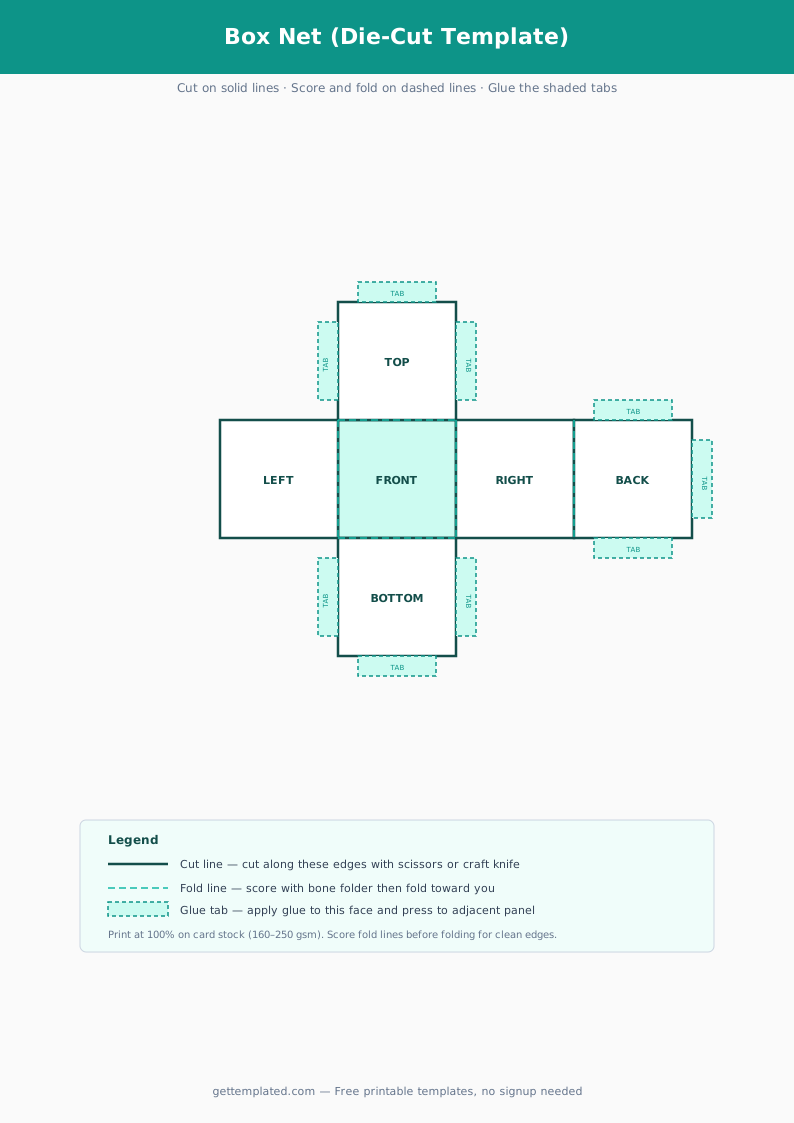
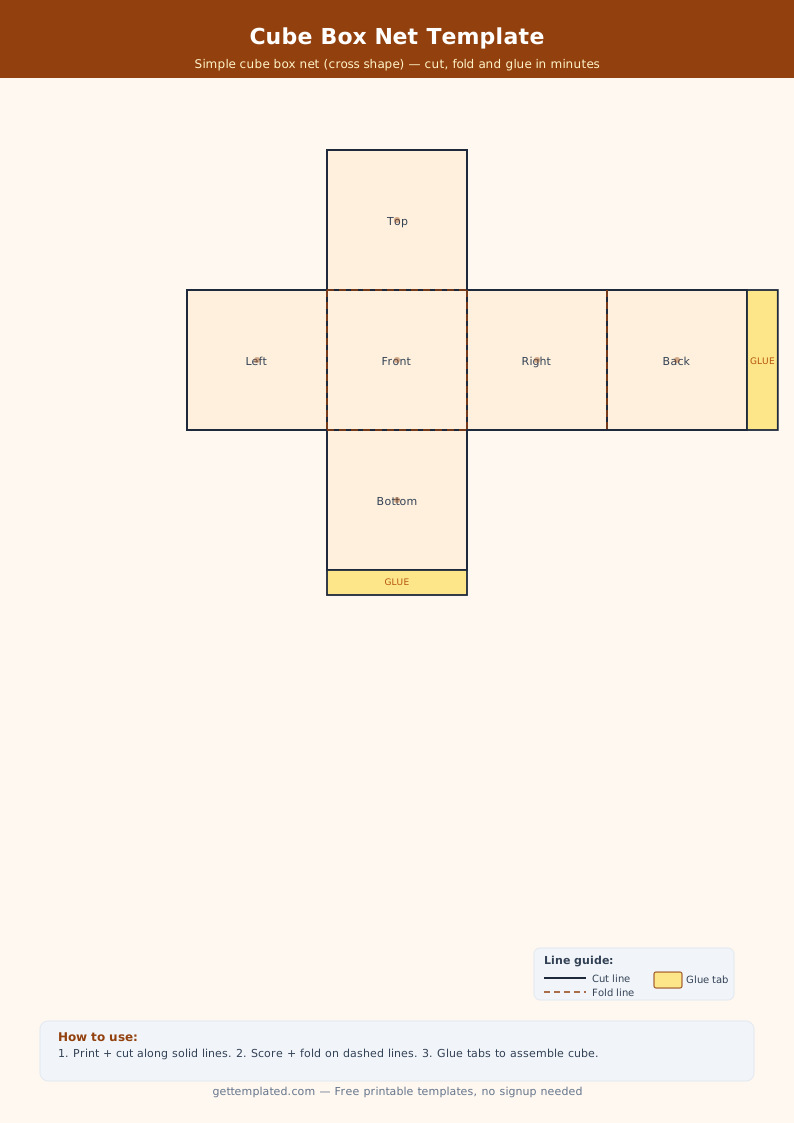
A box template is a flat, pre-marked diagram (called a net in geometry) that shows every face of a box unfolded into a single connected shape. You print it, cut it out, and fold along the marked lines to assemble a three-dimensional box. The template eliminates all the measuring and drafting that would otherwise take up most of your craft time.
Box templates come in a huge range of styles and sizes. Simple square and rectangular gift boxes are the most common, but the same principle applies to more complex shapes. A cereal box template replicates the exact proportions of a grocery store cereal box with front, back, side panels, and top and bottom flaps. A matchbox template creates a sliding tray-and-sleeve construction. A labubu box template or blind box template mimics the window display packaging used for collectible figurines. Paper box templates and origami-adjacent designs are also popular for craft projects and classroom activities.
- Gift boxes: square, rectangular, or pillow boxes for wrapping presents without a bag
- Cereal box templates: school projects, product design mockups, or cereal-box book reports
- Matchbox templates: miniature sliding tray containers for small gifts or party favors
- Blind box or display box: windowed front panel for displaying collectibles or toys
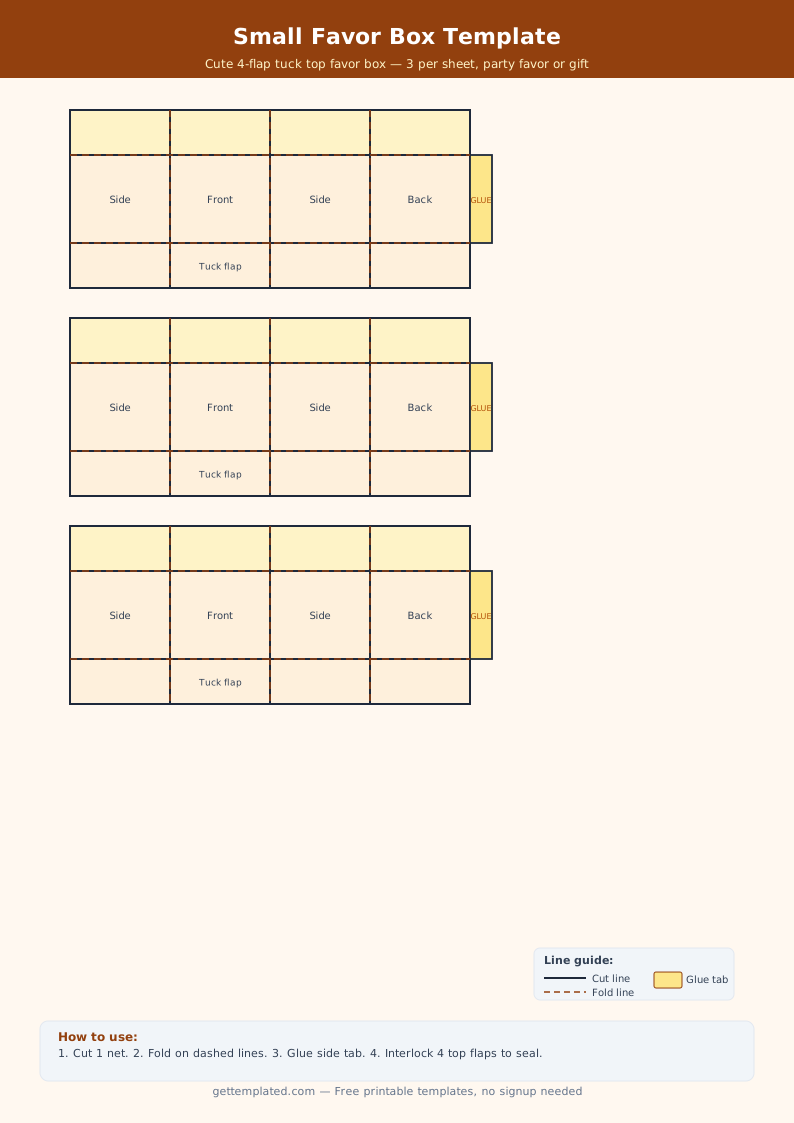
- Favor boxes: small pyramid or cube boxes for wedding favors and party treats
- Product packaging mockups: prototype your own packaging design before printing commercially
- Labubu-style collectible boxes: tall narrow window boxes for figure display
What to Include on a Box Template
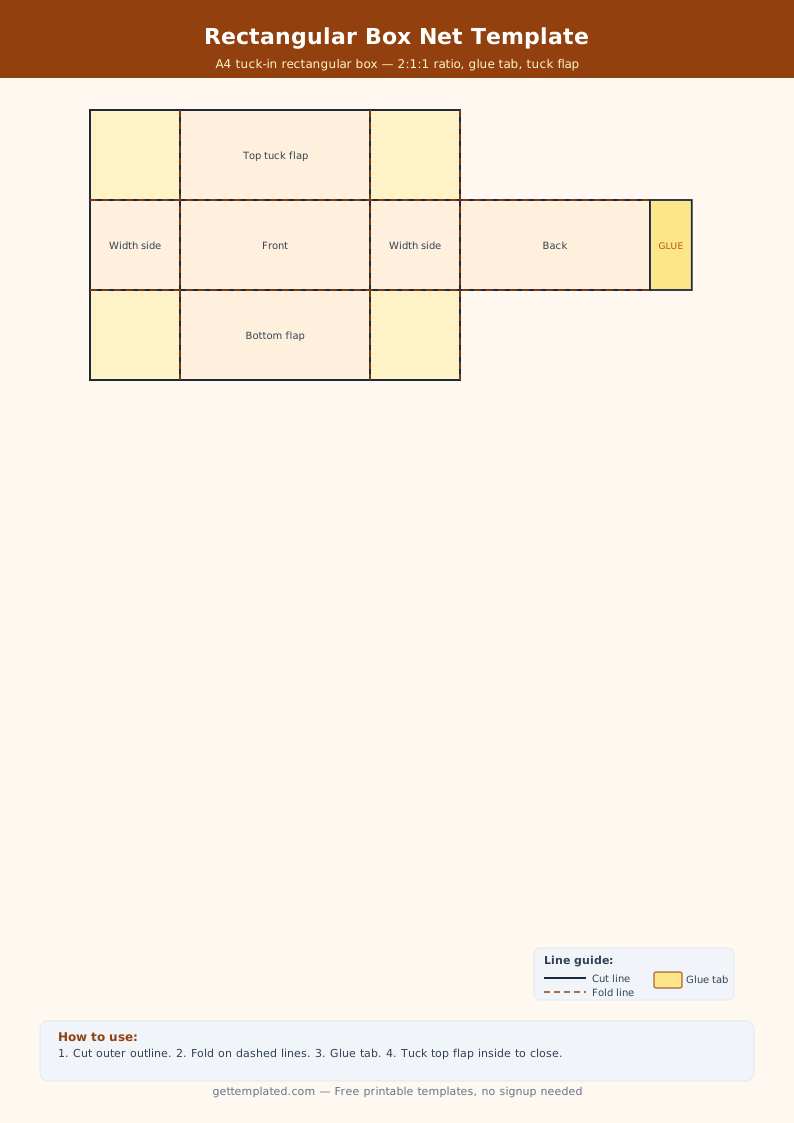
A good printable box template clearly marks every element you need to assemble the box correctly. Ambiguous lines are the most common reason a box template fails: if you cannot tell a cut line from a fold line at a glance, the assembly goes wrong and you waste paper and time.
Beyond the structural elements, a box template for a specific project (like a school cereal box or a product packaging mockup) needs space for the decorative content that goes on each face. The front panel is the main visible face and usually carries the most design work. The back panel typically has secondary information. Side panels can be plain or carry supporting details. Top and bottom flaps are usually functional rather than decorative.
- Solid cut lines clearly marked along every outer edge
- Dashed or dotted fold lines at every crease point
- Labeled glue or tape tabs showing where to apply adhesive
- Front panel: main face with title, label, or artwork
- Back panel: secondary information or blank for labeling
- Side panels: supporting content or left plain
- Top and bottom flaps: functional closure panels
- Dimension notes if you are scaling the template to a specific size
How to Use a Printable Box Template Step by Step
The assembly steps are similar for most box types, with small variations depending on whether it is a tuck-top box, a display window box, or a sliding matchbox design. The most important tool you can add to your process is a bone folder or scoring tool: running it along the fold lines before you fold the paper gives crisp, clean edges instead of uneven or torn creases.
For a paper box template, regular printer paper works for small lightweight boxes, but cardstock (65-110 lb) is much sturdier and holds its shape better. For a cereal box template or school project box, print on heavier paper or card paper and let any decorations or colored ink dry completely before folding to avoid smearing.
- Print the template on cardstock at 100% scale (do not scale to fit or the dimensions will change)
- Decorate the flat template before cutting if you want artwork on the outside faces
- Cut carefully along all solid outer lines using scissors or a craft knife on a cutting mat
- Score every dashed fold line with a bone folder, empty ballpoint pen, or back of a butter knife
- Fold all scored lines, creasing firmly in the correct direction for each panel
- Apply glue or double-sided tape to the glue tabs
- Press the glued tabs firmly and hold for 30 seconds until set
- Close the bottom by folding and gluing the bottom flap last, then leave the top open or tuck closed
Types of Box Templates: Cereal Box, Matchbox, Blind Box, and Gift Box
Different box types use different net shapes, and choosing the right starting point saves significant time.
A cereal box template uses a standard rectangular box net with a reclosable tuck-top and a glued bottom. It has a large front and back face, two narrow side panels, and overlapping flap closures at top and bottom. This shape is popular for school book report projects because it has six distinct panels to fill with information and artwork.
A matchbox template is a two-part construction: an inner tray that slides in and out of an outer sleeve. The tray is a shallow open-top box, and the sleeve is a tube that wraps around it. This design is excellent for small gift packaging or party favors.
A blind box template, inspired by collectible toy packaging, is a tall narrow box with a clear plastic or cut-out window on the front face. Since this is a paper craft version, you can cut out the window opening and back it with acetate or leave it as a frame around artwork showing the item inside.
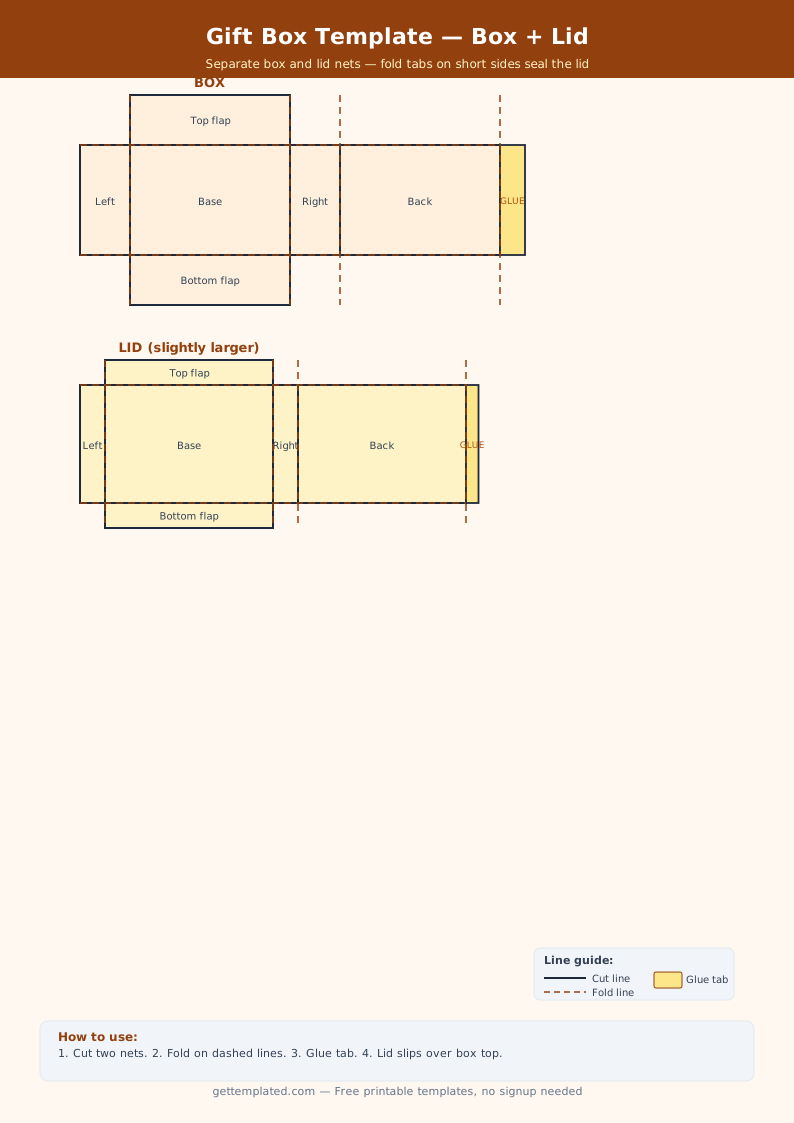
- Rectangular gift box: most versatile, works for almost any item
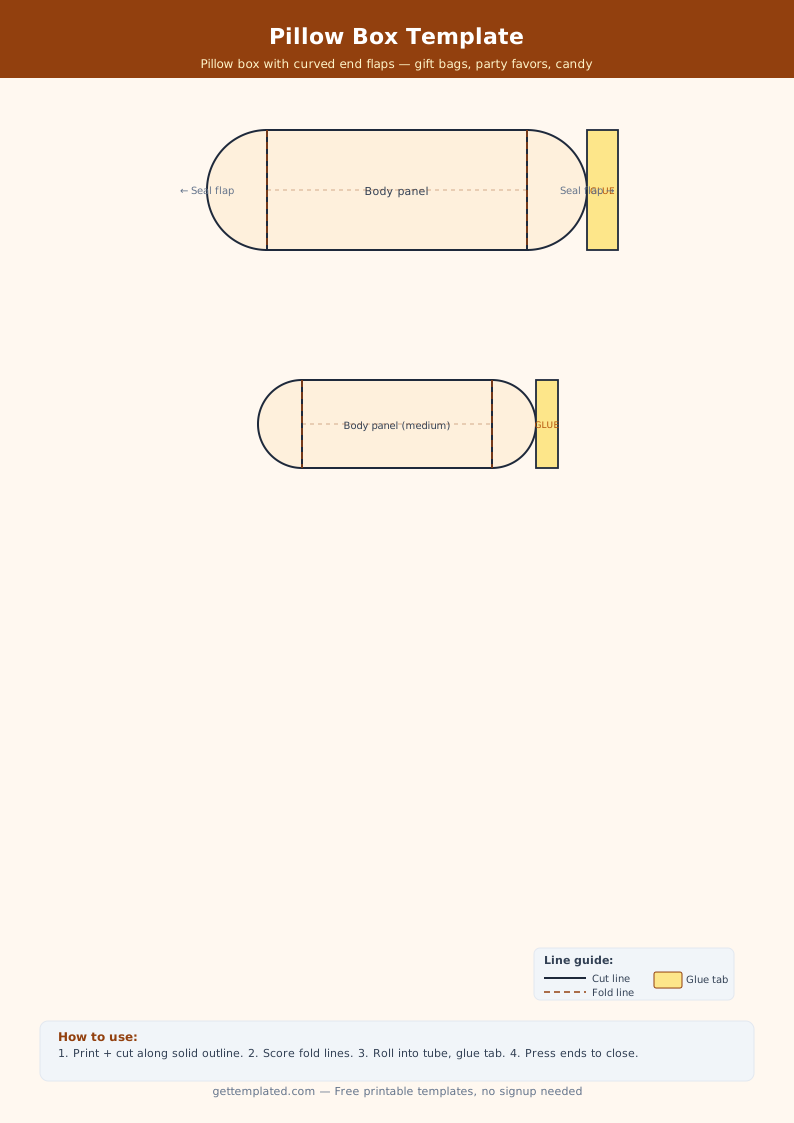
- Pillow box: two curved ends, no flat bottom; good for small gifts and jewelry
- Cereal box: six panels, tuck-top closure; great for school projects and packaging mockups
- Matchbox (tray and sleeve): sliding inner tray; great for small gifts and party favors
- Pyramid box: triangular base with three pointed flaps on top; popular for candies
- Blind box / window box: tall format with a front window for displaying collectibles
Tips for Better Results with Paper Box Templates
One of the most common mistakes is not scoring fold lines before folding. Skipping the scoring step leads to ragged folds, especially on heavier cardstock, and the box will not lie flat or close properly. Scoring takes less than a minute and makes an enormous difference in the finished result.
Printing at exactly 100% scale matters if the box needs to hold a specific item. Most PDF viewers default to 'fit to page' or 'shrink to fit,' which slightly reduces the dimensions. Always print at 100% or 'actual size' and check the printed dimensions with a ruler before cutting. For a box template that needs to hold a specific object, measure the object first and scale the template accordingly before printing.
- Always score fold lines before folding, especially on cardstock
- Print at 100% scale to preserve dimensions
- Decorate the flat template before cutting for easier handling
- Use a craft knife and cutting mat for cleaner edges than scissors on straight lines
- Let ink dry fully before folding to prevent smearing
- Test the design with regular printer paper before printing on premium cardstock
The template