What an Invitation Template Is and Who Uses It
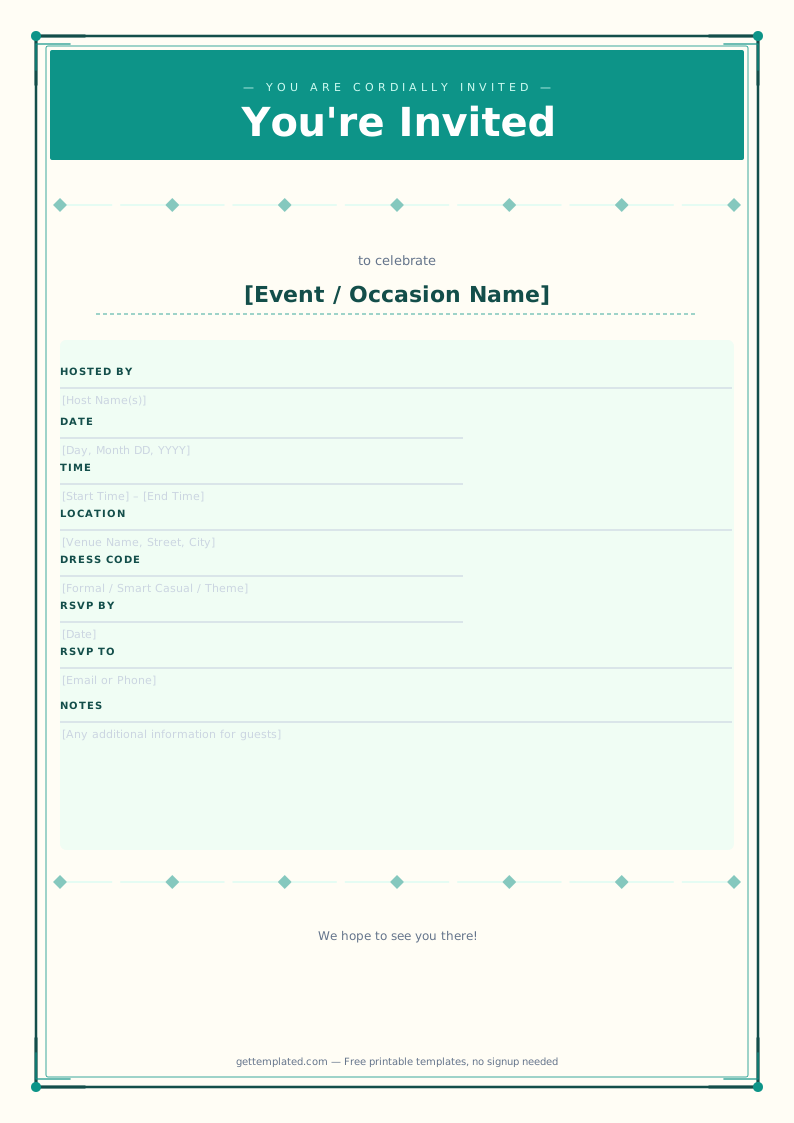
An invitation template is a pre-formatted document with placeholder text for the event name, date, time, location, host, and RSVP information. You replace the placeholders with your event details and end up with a polished invitation in minutes instead of hours.
Invitation templates are used by anyone hosting an event who wants a professional result without hiring a designer. Parents use party invitation templates for birthday parties and holiday gatherings. Families use graduation invitation templates to announce a son or daughter's achievement. Friends use them for Friendsgiving dinners, housewarming parties, and bridal showers. Event planners use them as starting points they customize per client.
A template saves time in two ways: it provides a proven visual layout, and it reminds you to include every detail guests actually need, such as RSVP deadlines and parking notes that are easy to forget when writing from scratch.
- Parents planning kids' birthday parties and seasonal get-togethers
- Families announcing graduation parties for high school or college graduates
- Hosts organizing baby showers, bridal showers, and engagement parties
- Friends coordinating Friendsgiving dinners, potlucks, and casual gatherings
- New homeowners hosting a housewarming party
- Event planners building client invitations on a tight timeline
What Every Invitation Template Should Include
A good invitation answers six questions before the guest can ask them. Leaving out any of these commonly causes follow-up messages and confusion.
- Who: The guest of honor or what is being celebrated (graduation, birthday, new home, baby on the way)
- What: The type of event (party, shower, dinner, ceremony, reception)
- When: Day of week, date, and year written out in full (Saturday, June 14, 2026). Include both start and end time when relevant so guests can plan their day.
- Where: Venue name and full address. For home parties, the street address is enough. For commercial venues, include any suite or building number.
- How to RSVP: A specific person, phone number or email, and RSVP deadline. "Please RSVP" with no method or deadline is not actionable.
- Need-to-know details: Dress code, parking instructions, potluck assignments, gift preferences (including registry link), or any special access requirements
How to Use an Invitation Template
Going from template to finished invitation takes about ten minutes when you have your event details ready. Here is the process for both digital and printed invitations.
- Open the invitation template in Google Docs or download the printable PDF version.
- Replace every placeholder in square brackets with your actual event details. Start with the essentials: event type, guest of honor, date, time, address, host name, and RSVP contact.
- Add any extra details guests need: dress code, parking notes, what to bring, or a link to your gift registry.
- Adjust font size if any line is too long to fit neatly on one invitation card.
- For a printed invitation: set your page size to match the card stock you plan to use (common sizes: 4x6, 5x7, or A2 envelope size). Export as PDF before printing.
- For a digital invitation: share via email or messaging app, or copy the text into an online invitation platform like Evite or Paperless Post if you want RSVP tracking built in.
- Print a test copy on plain paper before printing on your final cardstock to check alignment and spacing.
Types of Invitation Templates
Different events call for different invitation styles. Here are the most commonly searched types and what makes each one distinct.
Graduation invitation template: Announces a graduation and invites guests to a celebration. Typically includes the graduate's full name, school name, degree or program, graduation year, and party details. Many families send graduation invitations to extended family and family friends who may not have been in close contact, so the tone is warm and the details need to be complete.
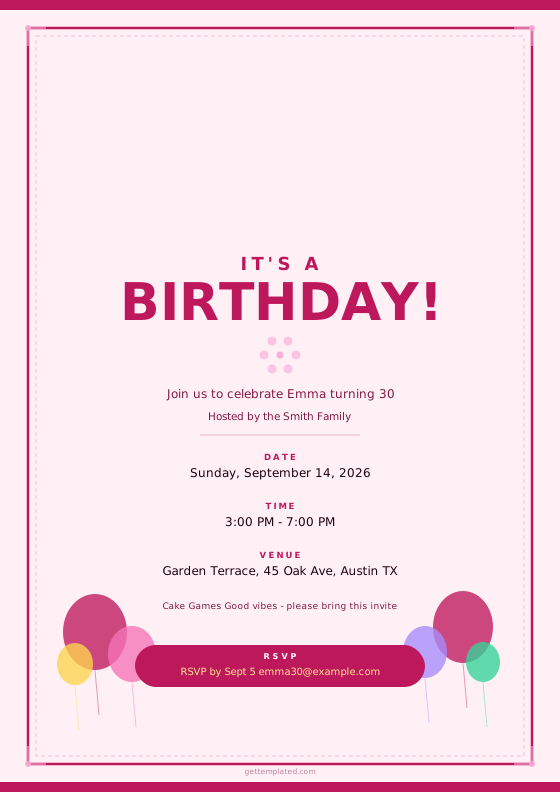
Party invitation template: The most general type. Works for birthdays, anniversaries, holiday parties, and casual get-togethers. Adjust the tone based on the event: a child's birthday party invitation is playful; a 50th anniversary dinner invitation is more formal.
Baby shower invitation template: Includes the parents-to-be's names, the shower date and location, the host's information, the gift registry link, and any theme. Baby shower invitations typically go out six to eight weeks before the event.
Bridal shower invitation template: Similar structure to a baby shower invitation but celebrates the upcoming wedding. Usually hosted by the bridesmaids or close family. Include the bride's name, wedding date (optional context), shower date and location, RSVP details, and registry information.
Funeral invitation template (celebration of life): A respectful, measured tone listing the name of the deceased, dates of birth and passing, service date and location, and any reception information. These are often called "celebration of life" invitations rather than funeral invitations.
Friendsgiving invitation template: Casual and warm. The invitation should convey the potluck nature if applicable, list what to bring, and set the expected tone (relaxed and cozy, not formal).
Invitation Template Design Tips
You do not need to be a designer to create an invitation that looks polished and reflects your event's personality. These practical tips apply to both printed and digital invitations.
- Match the tone of the design to the tone of the event: simple clean fonts for formal gatherings; bright colors and playful fonts for kids' parties.
- Hierarchy matters: event type or guest of honor name should be the largest element, date and time second, location third, RSVP details fourth. Guests should be able to scan in that order.
- Use no more than two fonts: one for headlines and one for body text. Mixing three or more fonts reads as cluttered.
- Leave enough margin (at least 0.25 inches) on all sides so content does not get cut off when printing.
- If printing at home, 60 to 80 lb cardstock produces a noticeably better result than copy paper. Glossy cardstock works for photo-heavy designs; matte is better for text-heavy layouts.
- For digital invitations, keep the file size under 1MB if sending via email so it does not get flagged as spam or take too long to load on mobile.
- Include your RSVP deadline at least two weeks before the event so you have time to finalize headcount.
The template