What an Envelope Template Is and Who Uses It
An envelope template serves two distinct purposes. The first is a fold-and-seal layout printed on a flat sheet of paper that becomes an envelope when cut and folded. The second is a pre-formatted address block that shows you exactly how to position the return address, recipient address, and postage on a standard mailing envelope.
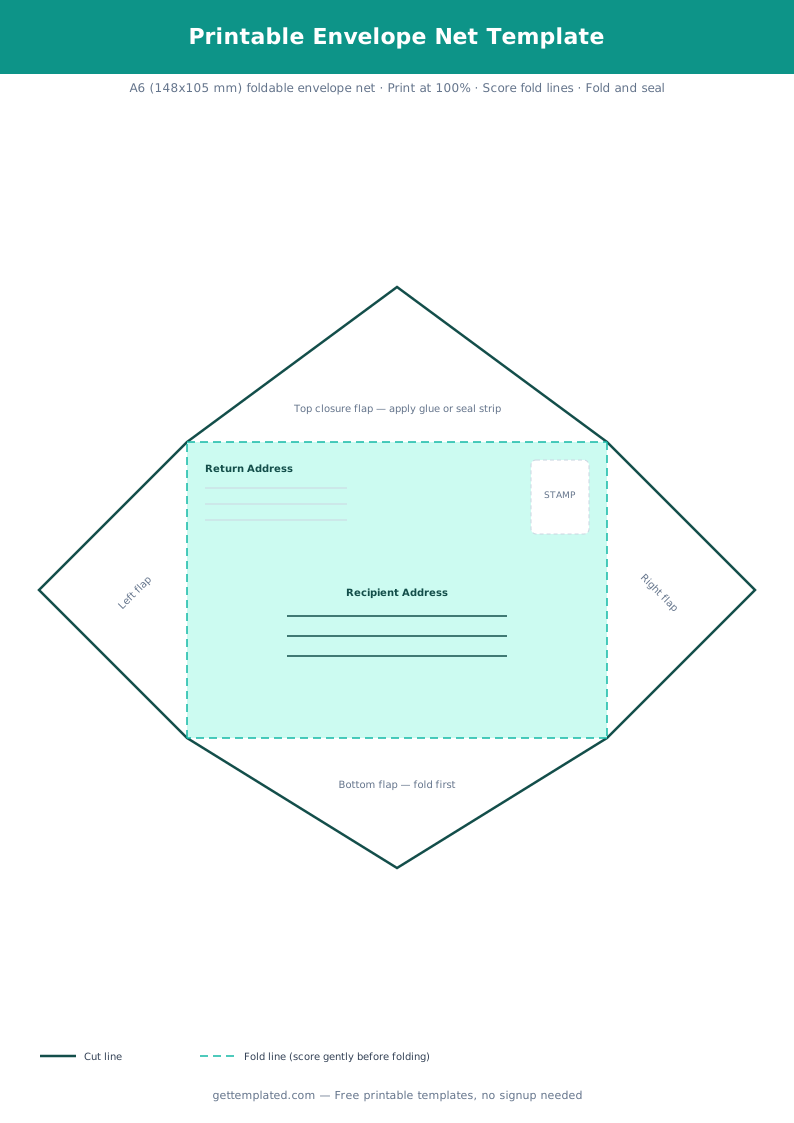
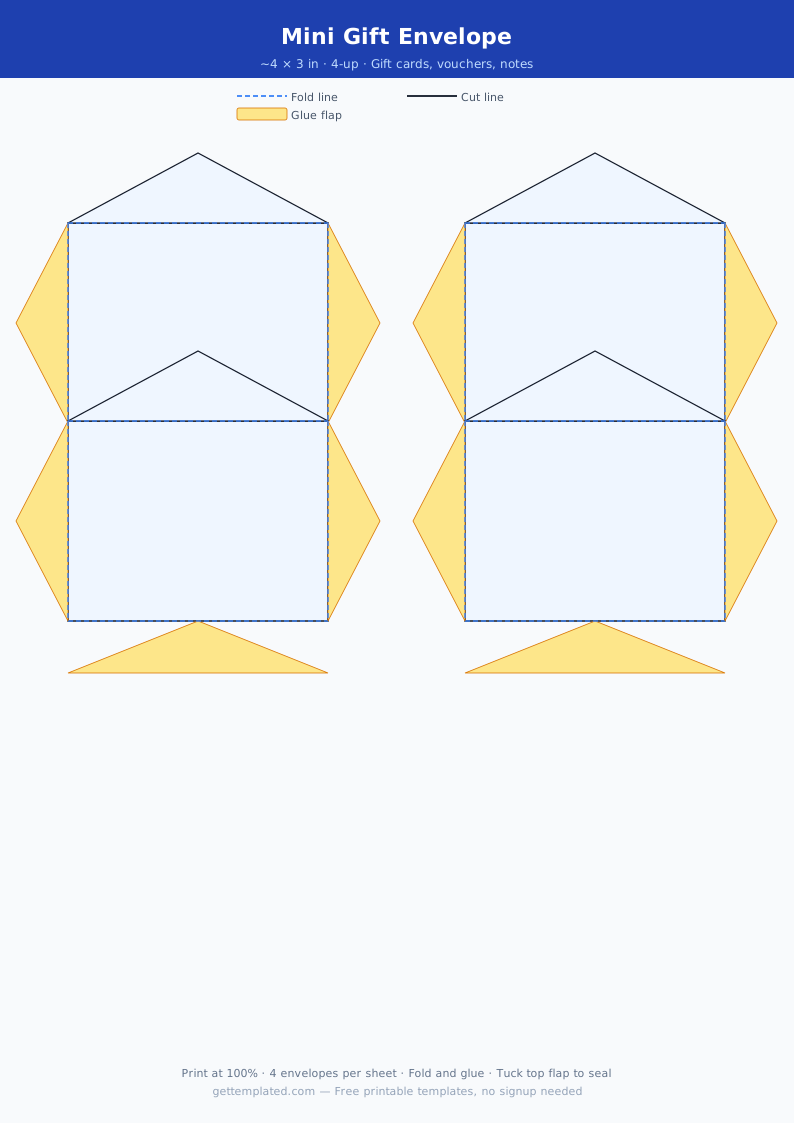
The fold-and-seal printable envelope template is popular for crafters, wedding stationers, and anyone sending handmade cards. Printing your own custom envelope gives complete control over paper color, weight, and size. A matching envelope printed on coordinating cardstock looks far more polished than a standard white envelope from a box.
The address layout template is for anyone who wants to print addresses directly onto envelopes rather than handwriting them, or who needs a guide for formatting addresses correctly for USPS delivery.
- Wedding stationery and invitation suites with coordinating custom envelopes
- Holiday cards in custom sizes that do not fit standard envelopes
- Handmade greeting cards packaged for sale or gifting
- Business direct mail with branded envelopes printed in company colors
- Legal and real estate closings using specific envelope formats
- Scrapbooking and paper crafts that incorporate envelope-style pockets
- School projects and DIY stationery kits
What to Include in an Envelope Address Template
US postal addressing follows a specific format that USPS optical character readers use to sort mail automatically. Deviating from this format can slow delivery or cause misdelivery.
The return address goes in the upper left corner. The recipient address goes in the center of the envelope. Postage goes in the upper right corner. For international mail, the destination country goes on the last line of the recipient address in capital letters.
- Return address line 1: sender's full name or company name
- Return address line 2: street number and street name, or PO Box number
- Return address line 3: city, state abbreviation, and ZIP+4 code
- Recipient name line: full name, or attention line for a specific person at a company
- Recipient company line (if applicable): company or organization name
- Recipient street address: street number and name on a single line
- Recipient city, state, ZIP: on a single line with two-letter state abbreviation
- Country (for international): written in full, in capital letters, on the last line
- Postage: upper right corner; use Forever stamps for standard 1 oz letters
How to Make and Use a Printable Envelope Template
There are two different processes depending on whether you are printing a fold-and-seal envelope or printing addresses onto purchased envelopes.
- For a fold-and-seal envelope: choose your paper. Standard 8.5 x 11 copy paper works for light inserts. Cardstock at 65 lb works better for cards and gives a more professional result. Heavier cardstock (90 lb or higher) is harder to fold cleanly.
- Print the envelope template at actual size (not fit-to-page). Check that the printed dimensions match the intended envelope size before cutting.
- Cut along the outer boundary with scissors or a craft knife and cutting mat. A straight edge and craft knife gives cleaner results than scissors on cardstock.
- Score the fold lines with a bone folder or the back of a butter knife before folding. Scoring prevents cracking on the fold and creates sharper, cleaner edges.
- Fold in the correct order: bottom flap up, then side flaps in, then top closure flap down. Fold against a flat, hard surface for crisp edges.
- Seal with a glue stick, double-sided tape, or a glue runner. Do not use liquid glue directly on the final closure flap if you want to be able to mail it after inserting the card.
- For printing addresses onto purchased envelopes: create an envelope layout in Google Docs (File, then Page Setup, set page size to match the envelope dimensions) and print with your envelope loaded in the printer tray per your printer's envelope instructions.
Envelope Template Sizes: A2, A7, and Business Envelopes
Envelope size determines what kind of card or letter fits inside, and the template dimensions must match the size you are making or addressing. Using the wrong size template wastes paper and produces an envelope that does not function correctly.
A2 envelopes (4.375 x 5.75 inches) are the standard size for A2 notecards and thank-you cards. Most greeting cards from a craft store fit an A2 or A6 envelope. Wedding save-the-dates and small invitations typically use A2, A6, or A7.
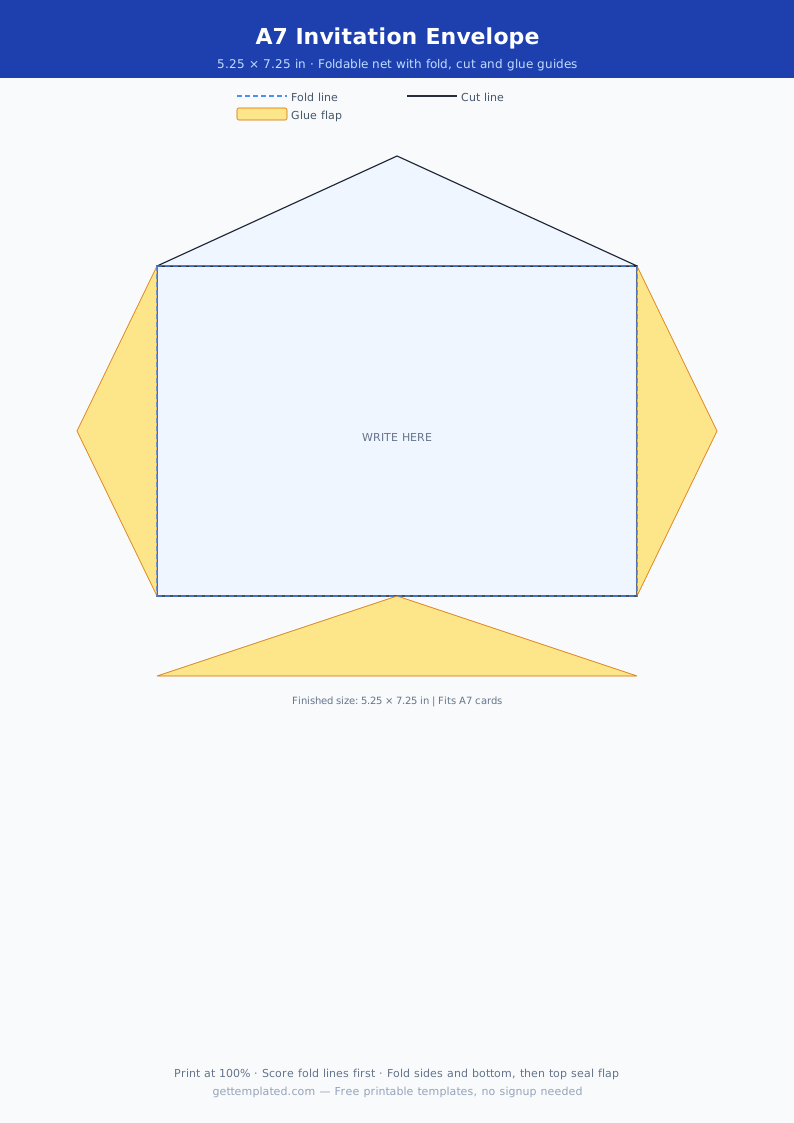
A7 envelopes (5.25 x 7.25 inches) fit 5 x 7 inch cards, which is the standard size for wedding invitations, holiday cards, and graduation announcements.
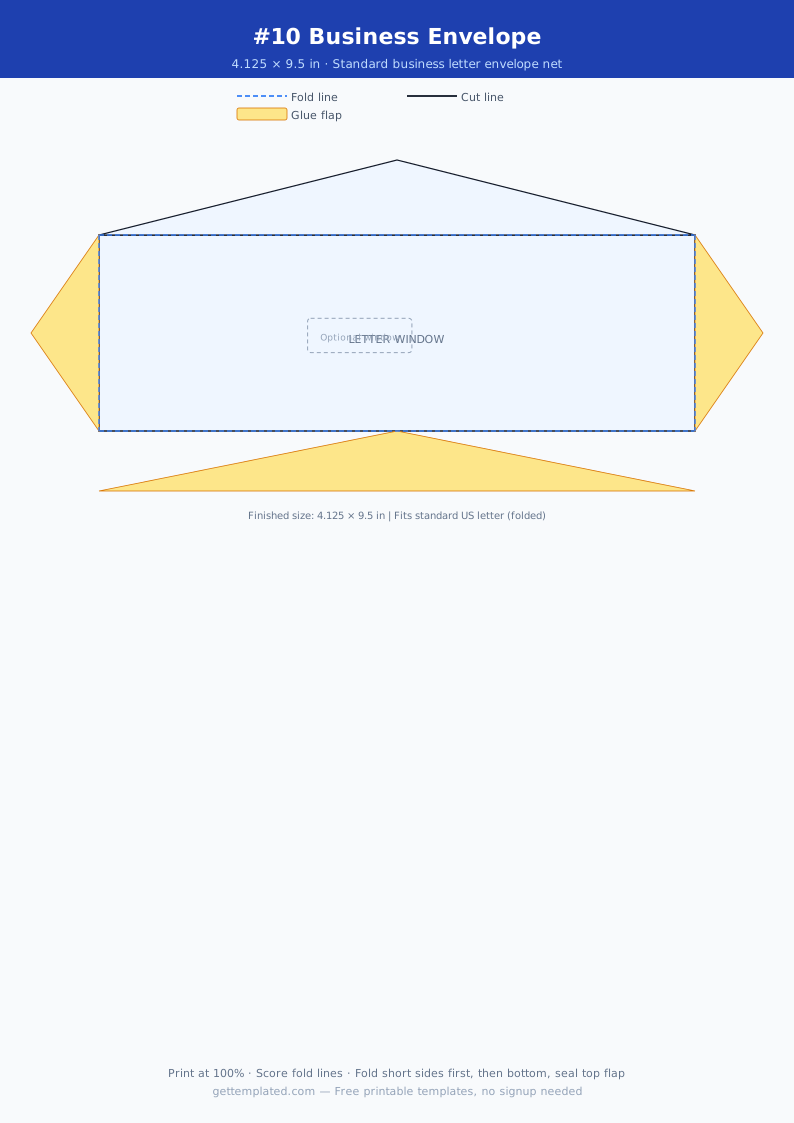
Number 10 envelopes (4.125 x 9.5 inches) are the standard business envelope size used for letters, invoices, and official correspondence. This is the envelope that a standard folded 8.5 x 11 letter fits into.
- A2 (4.375 x 5.75 in): thank-you cards, notecards, small announcements
- A6 (4.75 x 6.5 in): standard greeting card, small invitation
- A7 (5.25 x 7.25 in): wedding invitations, 5 x 7 inch photos, holiday cards
- Number 10 (4.125 x 9.5 in): business letters, invoices, folded 8.5 x 11 documents
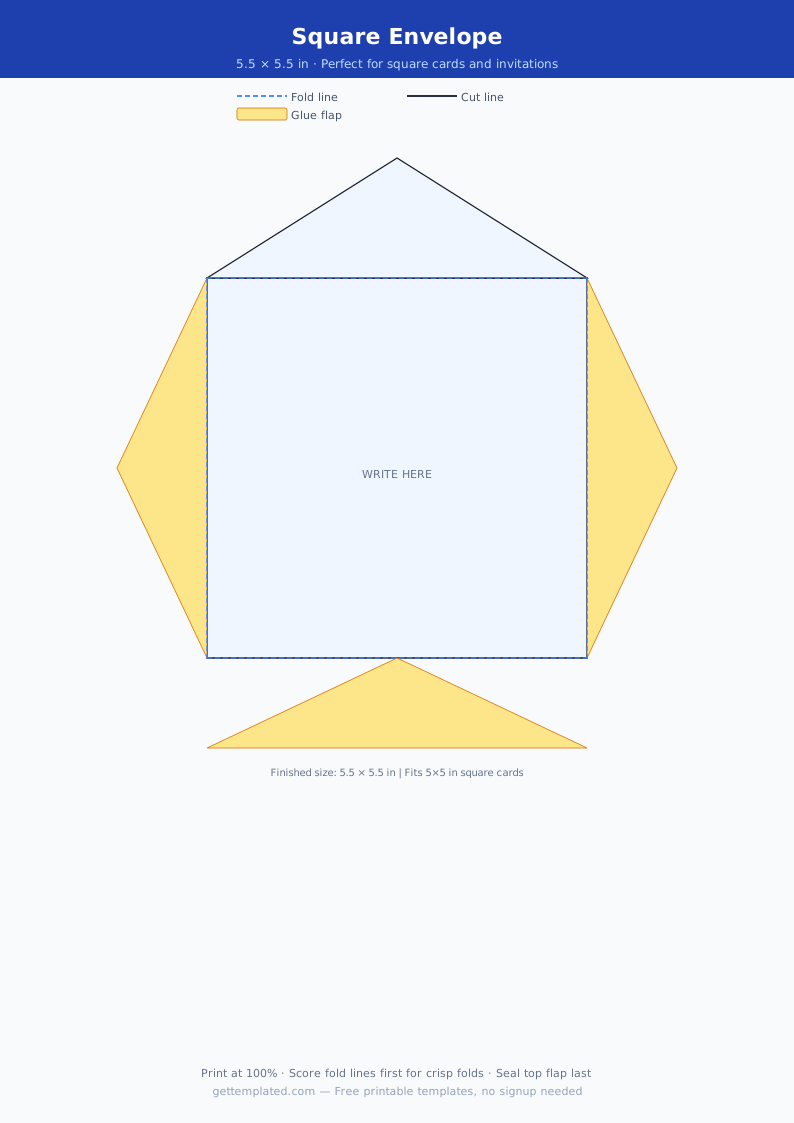
- Square envelopes (5.5 x 5.5 in): square cards, modern wedding suites, social invitations
- Catalog/6x9 (6 x 9 in): booklets, catalogs, unfolded documents, legal papers
Envelope Liner Template: A Craft Upgrade
An envelope liner is a decorative paper insert glued inside the envelope flap that shows when the envelope is opened. Envelope liner templates are used by wedding stationers, paper crafters, and anyone who wants to add a visual detail to their correspondence.
A liner template is a slightly smaller version of the envelope's interior shape. The liner sits inside the envelope and is glued only at the top flap so it does not add bulk to the sealed envelope. Pattern paper, metallic paper, and tissue paper are all common liner materials.
- Cut the liner template about 0.25 inches smaller than the envelope interior on all sides
- Use double-sided tape or a glue stick on the back of the liner's top edge only
- Press the liner against the inside of the unsealed envelope flap and smooth flat
- Vellum works well as a liner for a semi-transparent effect over patterned envelopes
- Matching the liner pattern to the invitation design creates a coordinated stationery suite
Common Envelope Template Mistakes
Most printable envelope errors come from incorrect scale settings or the wrong fold order. These are the issues that come up most often and how to fix them.
- Printing fit-to-page instead of actual size creates an envelope that is slightly too small to fit the intended card
- Skipping the scoring step leaves ragged fold lines and cracked paper on cardstock
- Folding in the wrong order, such as folding the top flap before the sides, creates an envelope that does not seal flat
- Using adhesive on the main panel instead of only on the flaps causes the envelope to be impossible to insert a card into
- Using paper that is too heavy (over 100 lb) makes clean folds nearly impossible without cracking
The template